This repository illustrates the fundamental use of the GPIO peripheral in STM32 microcontrollers through the HAL framework. It shows how to set pin modes, write and read digital signals, and manage GPIO ports effectively using HAL APIs.
- Based entirely on STM32 HAL (no external libraries)
- Demonstrates input/output configuration, toggling, and pin reading
- Compatible with STM32CubeMX for pin mapping and initialization
| Tip If you're looking to better understand how to navigate and use my GitHub repositories — including exploring their structure, downloading or cloning projects, submitting issues, and asking questions, |  | |
| Important Begin your embedded systems journey with clarity and purpose. This episode outlines a structured roadmap for mastering microcontrollers, communication protocols, hardware design, and project development. |  | |
| Caution It is absolutely critical that you carefully read every single word of this document, line by line, to ensure you don't miss any details. Nothing can be overlooked. | ||
Here you'll find a collection of useful links and videos related to the topic of STM32 microcontrollers.
Tip
The resources are detailed in the sections below.
To access any of them, simply click on the corresponding blue link.
-
This section provides an overview of the HAL-based GPIO functions used in the project, including configuration, write/read operations, and toggling. The implementation serves as a minimal yet clear example of GPIO handling in STM32 using HAL.
-
This repository offers a comprehensive guide to STM32 microcontroller programming, focusing on the STM32F103C8T6. Explore STM32 architecture, peripheral configuration, timers, interrupts, communication protocols (UART, SPI, I2C), and real-time applications through practical examples and hands-on projects. Whether you're a beginner or an experienced developer, this resource will help you build a strong foundation and advance your skills in STM32 embedded development.
📁 STM32 GPIO Peripheral └── [aKaReZa 126 - HAL, GPIO] ├─ Concept — GPIO basics in STM32. ├─ Modes — Input, Output, Alternate Function, Analog. ├─ CubeMX — Project creation and MX_GPIO_Init(). ├─ Control — HAL_GPIO_WritePin(), HAL_GPIO_TogglePin(). ├─ Read — HAL_GPIO_ReadPin() usage. ├─ Timing — HAL_Delay() and troubleshooting. └─ Speed — GPIO speed settings and performance impact. | Master the fundamentals of GPIO configuration in STM32 using the HAL Library. This episode walks through pin setup in Input, Output, Alternate Function, and Analog modes, project creation in STM32CubeMX, and practical use of HAL functions like | 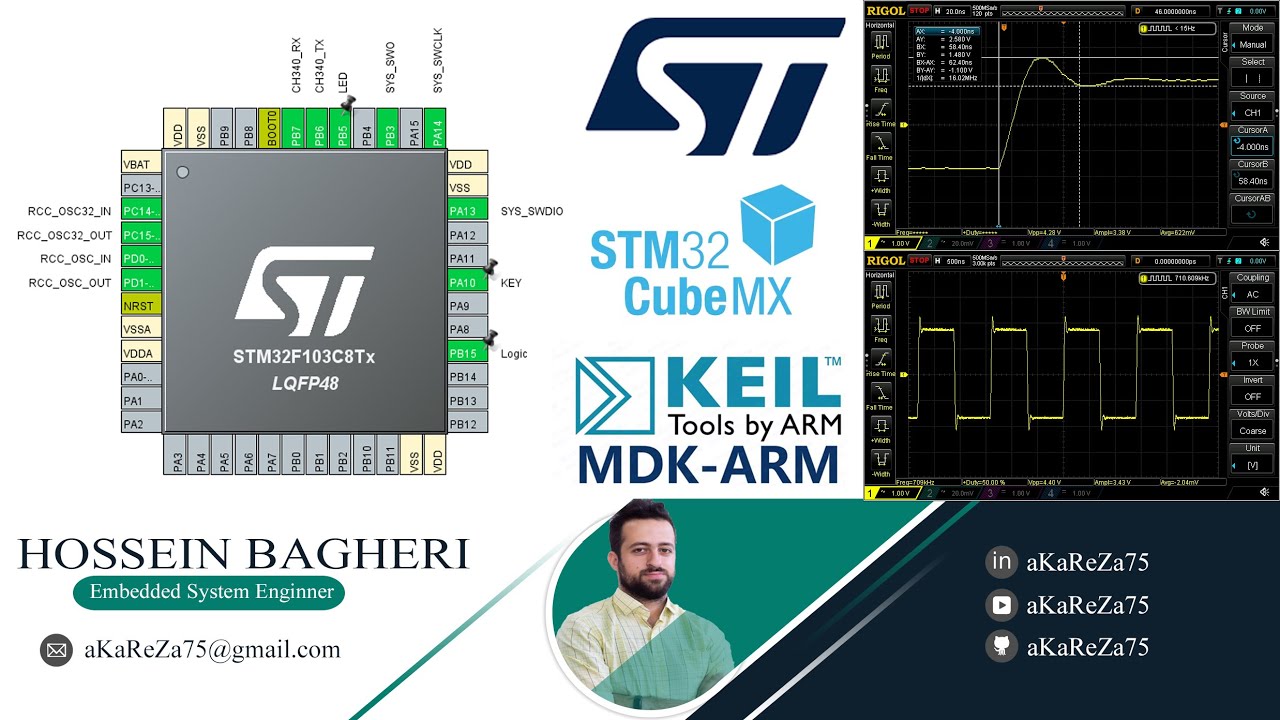 |
To access the repository files and save them on your computer, there are two methods available:
-
Using Git Bash and Cloning the Repository
- This method is more suitable for advanced users and those familiar with command-line tools.
- By using this method, you can easily receive updates for the repository.
-
Downloading the Repository as a ZIP file
- This method is simpler and suitable for users who are not comfortable with command-line tools.
- Note that with this method, you will not automatically receive updates for the repository and will need to manually download any new updates.
First, open Git Bash :
- Open the folder in File Explorer where you want the library to be stored.
- Right-click inside the folder and select the option "Open Git Bash here" to open Git Bash in that directory.

Note
If you do not see the "Open Git Bash here" option, it means that Git is not installed on your system.
You can download and install Git from this link.
For a tutorial on how to install and use Git, check out this video.
- Once Git Bash is open, run the following command to clone the repository:
git clone https://github.com/aKaReZa75/STM32_HAL_GPIO.git- You can copy the above command by either:
- Clicking on the Copy button on the right of the command.
- Or select the command text manually and press Ctrl + C to copy.
- To paste the command into your Git Bash terminal, use Shift + Insert.

- Then, press Enter to start the cloning operation and wait for the success message to appear.

Important
Please keep in mind that the numbers displayed in the image might vary when you perform the same actions.
This is because repositories are continuously being updated and expanded. Nevertheless, the overall process remains unchanged.
Note
Advantage of Cloning the Repository:
- Receiving Updates: By cloning the repository, you can easily and automatically receive new updates.
- Version Control: Using Git allows you to track changes and revert to previous versions.
- Team Collaboration: If you are working on a project with a team, you can easily sync changes from team members and collaborate more efficiently.
If you prefer not to use Git Bash or the command line, you can download the repository directly from GitHub as a ZIP file.
Follow these steps:
-
Navigate to the GitHub repository page and Locate the Code button:
- On the main page of the repository, you will see a green Code button near the top right corner.
-
Download the repository:
- Click the Code button to open a dropdown menu.
- Select Download ZIP from the menu.

-
Save the ZIP file:
- Choose a location on your computer to save the ZIP file and click Save.
-
Extract the ZIP file:
- Navigate to the folder where you saved the ZIP file.
- Right-click on the ZIP file and select Extract All... (Windows) or use your preferred extraction tool.
- Choose a destination folder and extract the contents.
-
Access the repository:
- Once extracted, you can access the repository files in the destination folder.
Important
- No Updates: Keep in mind that downloading the repository as a ZIP file does not allow you to receive updates.
If the repository is updated, you will need to download it again manually. - Ease of Use: This method is simpler and suitable for users who are not comfortable with Git or command-line tools.
If you have any questions or issues, you can raise them through the "Issues" section of this repository. Here's how you can do it:
- Navigate to the "Issues" tab at the top of the repository page.

- Click on the "New Issue" button.

-
In the Title field, write a short summary of your issue or question.
-
In the "Description" field, detail your question or issue as thoroughly as possible. You can use text formatting, attach files, and assign the issue to someone if needed. You can also use text formatting (like bullet points or code snippets) for better readability.
-
Optionally, you can add labels, type, projects, or milestones to your issue for better categorization.
-
Click on the "Submit new issue" button to post your question or issue.

I will review and respond to your issue as soon as possible. Your participation helps improve the repository for everyone!
Tip
- Before creating a new issue, please check the "Closed" section to see if your question has already been answered.

- Write your question clearly and respectfully to ensure a faster and better response.
- While the examples provided above are in English, feel free to ask your questions in Persian (فارسی) as well.
- There is no difference in how they will be handled!
Note
Pages and interfaces may change over time, but the steps to create an issue generally remain the same.
To contribute to this repository, please follow these steps:
- Fork the Repository
- Clone the Forked Repository
- Create a New Branch
- Make Your Changes
- Commit Your Changes
- Push Your Changes to Your Forked Repository
- Submit a Pull Request (PR)
Note
Please ensure your pull request includes a clear description of the changes you’ve made. Once submitted, I will review your contribution and provide feedback if necessary.
If you found this repository useful:
- Subscribe to my YouTube Channel.
- Share this repository with others.
- Give this repository and my other repositories a star.
- Follow my GitHub account.
This project is licensed under the GPL-3.0 License. This license grants you the freedom to use, modify, and distribute the project as long as you:
- Credit the original authors: Give proper attribution to the original creators.
- Disclose source code: If you distribute a modified version, you must make the source code available under the same GPL license.
- Maintain the same license: When you distribute derivative works, they must be licensed under the GPL-3.0 too.
- Feel free to use it in your projects, but make sure to comply with the terms of this license.
Feel free to reach out to me through any of the following platforms: