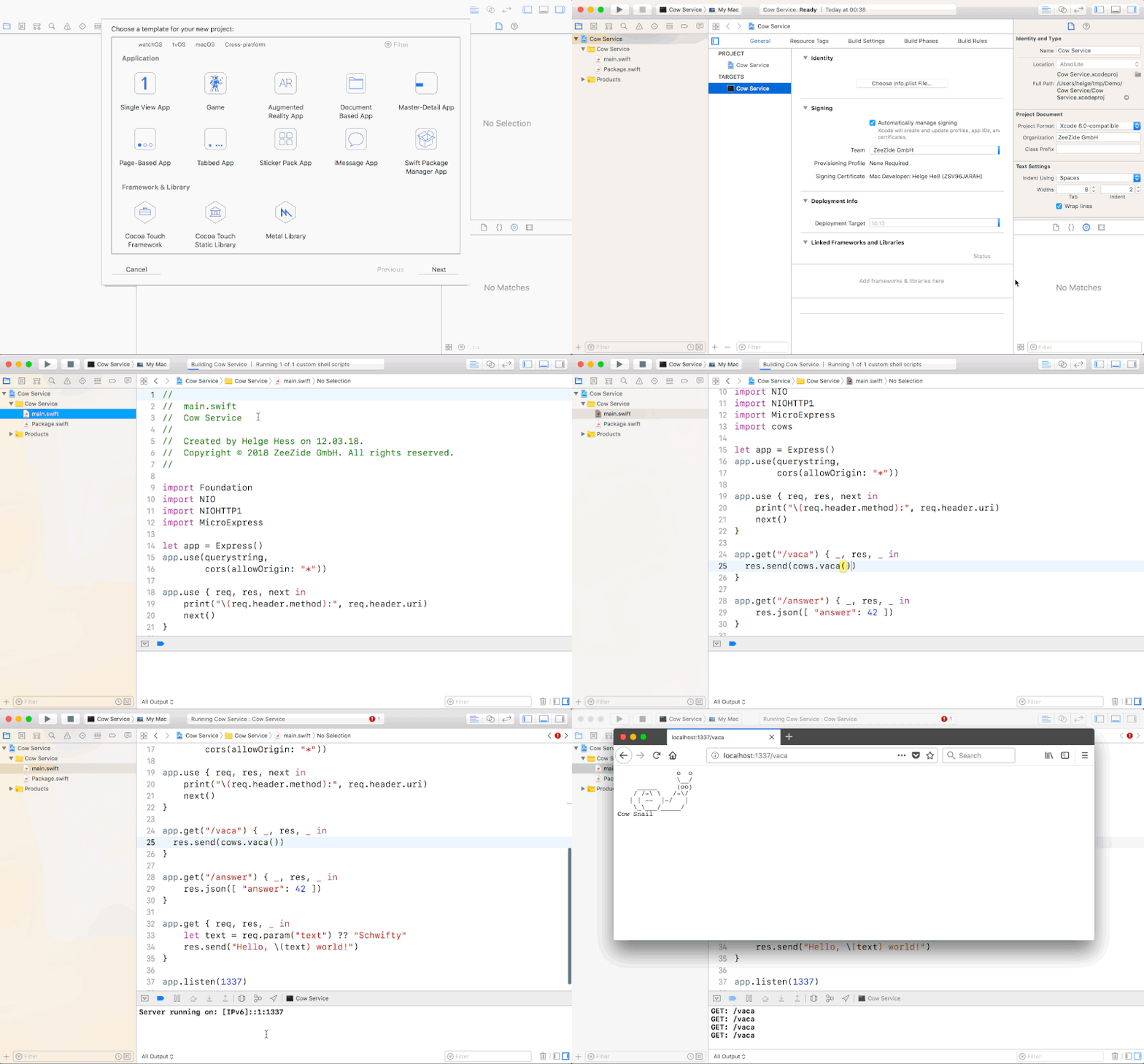


A micro server framework on top of SwiftNIO.
It adds an Express like API on top of the low level SwiftNIO API.
import MicroExpress let app = Express() app.get("/moo") { req, res, next in res.send("Muhhh") } app.get("/json") { _, res, _ in res.json([ "a": 42, "b": 1337 ]) } app.get("/") { _, res, _ in res.send("Homepage") } app.listen(1337)This package is part of the Always Right Institute's blog series about the Swift Server Workgroup's offical Swift HTTP API.
- Blog series:
- Part 3 µExpress
- Part 4 µExpress/NIO Templates
- Old:
- Part 1 Using the Swift Server API 0.1.0
- Part 2 µExpress
- Part 3 µExpress/NIO
Please checkout Part 3 of our blog series to learn what this is about. This is a tiny framework, for a more full featured, synchronous Express-like API in Swift, have a look at ExExpress (as used in ApacheExpress). Noze.io comes w/ an asynchronous variant (but is using Dispatch, not SwiftNIO - stay tuned).
Note: There is Macro.swift, a more capable (and maintained) version of this.
Micro Hello World in 5 minutes (or in 30s using the swift-xcode image below):
$ mkdir MicroHelloWorld && cd MicroHelloWorld $ swift package init --type executableUpdate Package.swift to include the dependency:
// swift-tools-version:5.0 import PackageDescription let package = Package( name: "MicroHelloWorld", dependencies: [ .package(url: "https://github.com/NozeIO/MicroExpress.git", from: "0.5.3") ], targets: [ .target(name: "MicroHelloWorld", dependencies: [ "MicroExpress" ]) ] )Change the main.swift from print("Hello World") into:
import MicroExpress let app = Express() app.get("/") { req, res, next in res.send("Hello World") } app.listen(1337)$ swift build $ swift runDone. Access via: http://localhost:1337/
Using Xcode 11 one can just open the Package.swift file.
$ swift build Fetching https://github.com/apple/swift-nio.git Fetching https://github.com/AlwaysRightInstitute/mustache.git Completed resolution in 5.97s Cloning https://github.com/AlwaysRightInstitute/mustache.git Resolving https://github.com/AlwaysRightInstitute/mustache.git at 0.5.9 Cloning https://github.com/apple/swift-nio.git Resolving https://github.com/apple/swift-nio.git at 2.12.0 [100/100] Merging module MicroExpress$ docker run --rm \ -v "${PWD}:/src" \ -v "${PWD}/.docker.build:/src/.build" \ swift:5.1.3 \ bash -c 'cd /src && swift build' Unable to find image 'swift:5.1.3' locally 5.1.3: Pulling from library/swift 2746a4a261c9: Pull complete ... b5d1069a5aa4: Pull complete Digest: sha256:72d7e583452031ae88251263649fc56ea79f98f4147474080426fb5c1ff904aa Status: Downloaded newer image for swift:5.1.3 Fetching https://github.com/apple/swift-nio.git ... [99/99] Compiling MicroExpress Express.swift [100/100] Merging module MicroExpress- SwiftNIO
- JavaScript Originals
- Swift Apache
- Swiftmon/S
MicroExpress is brought to you by the Helge Heß and ZeeZide. We like feedback, GitHub stars, cool contract work, presumably any form of praise you can think of.
There is a #microexpress channel on the Noze.io Slack. Feel free to join!
(this one is still using SwiftXcode instead of the Xcode 11 SPM support)