docs-builder
 How to set up docs previews
This guide will help you set up docs previews for your GitHub repository.
The docs preview system consists of two GitHub Workflows:
docs-build.yml: Build the docs on a PRdocs-cleanup.yml: Cleanup the docs after a PR is merged or closed
This workflow is triggered when a PR is opened. The underlying reusable workflow, builds the documentation and uploads it as an artifact. If the path-pattern input does not match any changes in the PR, the workflow will skip the build, but still set a green status check. This way you only build and deploy the docs when there are changes to the docs and you can still set it as a required status check.
--- name: docs-build on: push: branches: - main - '\d+.\d+' pull_request_target: ~ jobs: docs-preview: uses: elastic/docs-builder/.github/workflows/preview-build.yml with: path-pattern: docs/** permissions: id-token: write deployments: write contents: read pull-requests: read - You need to adjust this to your default branch. E.g
main,master, etc. - Optional, a match for the branch you wish to publish to production if different from the first.
- Reusable workflow: elastic/docs-builder/.github/workflows/preview-build.yml
- This should be the path to your
docsfolder.
This workflow is triggered when a PR is either merged or closed. The underlying reusable workflow, deletes the docs from the preview environment.
We are aware of the security implications of using pull_request_target as described in this blog post. The workflow never checks out the code and doesn't use any user modifiable inputs (e.g. PR title).
--- name: docs-cleanup on: pull_request_target: types: - closed jobs: docs-preview: uses: elastic/docs-builder/.github/workflows/preview-cleanup.yml permissions: contents: none id-token: write deployments: write - Reusable workflow: elastic/docs-builder/.github/workflows/preview-cleanup.yml
- No permissions to read content
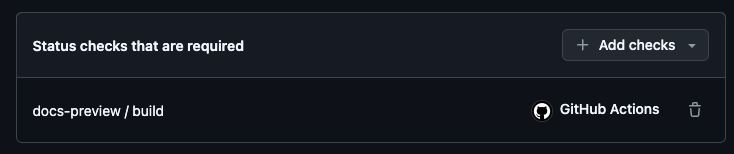
To ensure that the docs are always in a deployable state, we need to set up required status checks.
In this case only the docs-build workflow is required, which will produce a status check named docs-preview / build.
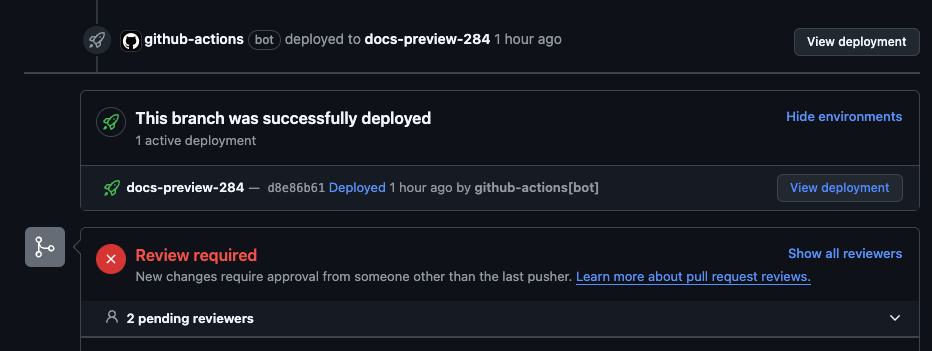
If the docs-build workflow is successful, the docs-deploy workflow will create a deployment visible in the GitHub UI on your PR.