


UiFlow Tutorial
UiFlow1 Quick Start
2. Firmware & Program 1.0
UiFlow1 Development Guide
Project Management
Use LTE network
UiFlow1 Blockly
Event
UI
Unit
Module
Hat
UiFlow2 Quick Start
2. Firmware & Program 2.0
UiFlow2 Development Guide
UI Editor
Device Security & Sharing
UiFlow2 Video Column
Unit RTC
Example
Set the clock

from m5stack import * from m5stack_ui import * from uiflow import * import unit screen = M5Screen() screen.clean_screen() screen.set_screen_bg_color(0xFFFFFF) rtc_0 = unit.get(unit.RTC8563, unit.PORTA) rtc_0.set_date_time(37, 1, 1, 1, 0, 0, 0) while True: print((str('hours') + str((rtc_0.get_date_time(2))))) print((str('minutes:') + str((rtc_0.get_date_time(1))))) print((str('seconds:') + str((rtc_0.get_date_time(0))))) wait_ms(2)API

print((str('alarm flag:') + str((rtc_0.check_alarm_flag()))))- Check alarm flag

print((str('flag:') + str((rtc_0.check_timer_flag()))))- Check timer flag
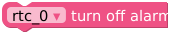
rtc_0.clear_alarm_flag()- Clear alarm
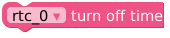
rtc_0.clear_timer_flag()- Clear timer flag
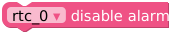
rtc_0.disable_alarm()- Disable alarm
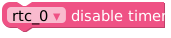
rtc_0.disable_timer()- Disable timer

print((str('rtc:') + str((rtc_0.get_date_time(0)))))- Get date and time

print((str('value:') + str((rtc_0.get_timer_value()))))- Get current timer value
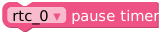
rtc_0.pause_timer()- Pause timer
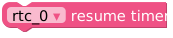
rtc_0.resume_timer()- Resume timer operation

rtc_0.set_alarm_clock(1, 0, 0)- Set alarm

rtc_0.set_date_time(0, 1, 1, 1, 0, 0, 0)- Set date and time

rtc_0.set_timer_mode(0, 0)- Set timer operating mode