

有些内容在全屏模式下会让用户获得最佳体验,状态栏或导航栏上不显示任何指示器。例如视频、游戏、图片库、图书和演示文稿幻灯片。这称为沉浸模式。本页面介绍了如何采用全屏模式吸引用户更深入地了解相关内容。
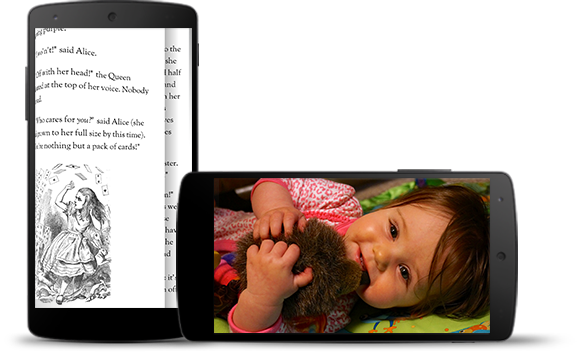
沉浸模式可帮助用户避免在游戏过程中意外退出,并提供沉浸式体验,让用户尽情欣赏图片、视频和图书。不过,您需要注意用户来回切换应用查看通知、进行临时搜索或执行其他操作的频率。由于沉浸模式会导致用户无法轻松访问系统导航,因此只有当用户体验的提升不仅仅是使用额外的屏幕空间时,才应使用沉浸模式。
使用 WindowInsetsControllerCompat.hide() 隐藏系统栏,并使用 WindowInsetsControllerCompat.show() 重新显示系统栏。
以下代码段展示了如何配置按钮以隐藏和显示系统栏。
Kotlin
override fun onCreate(savedInstanceState: Bundle?) { ... val windowInsetsController = WindowCompat.getInsetsController(window, window.decorView) // Configure the behavior of the hidden system bars. windowInsetsController.systemBarsBehavior = WindowInsetsControllerCompat.BEHAVIOR_SHOW_TRANSIENT_BARS_BY_SWIPE // Add a listener to update the behavior of the toggle fullscreen button when // the system bars are hidden or revealed. ViewCompat.setOnApplyWindowInsetsListener(window.decorView) { view, windowInsets -> // You can hide the caption bar even when the other system bars are visible. // To account for this, explicitly check the visibility of navigationBars() // and statusBars() rather than checking the visibility of systemBars(). if (windowInsets.isVisible(WindowInsetsCompat.Type.navigationBars()) || windowInsets.isVisible(WindowInsetsCompat.Type.statusBars())) { binding.toggleFullscreenButton.setOnClickListener { // Hide both the status bar and the navigation bar. windowInsetsController.hide(WindowInsetsCompat.Type.systemBars()) } } else { binding.toggleFullscreenButton.setOnClickListener { // Show both the status bar and the navigation bar. windowInsetsController.show(WindowInsetsCompat.Type.systemBars()) } } ViewCompat.onApplyWindowInsets(view, windowInsets) } }
Java
@Override protected void onCreate(Bundle savedInstanceState) { ... WindowInsetsControllerCompat windowInsetsController = WindowCompat.getInsetsController(getWindow(), getWindow().getDecorView()); // Configure the behavior of the hidden system bars. windowInsetsController.setSystemBarsBehavior( WindowInsetsControllerCompat.BEHAVIOR_SHOW_TRANSIENT_BARS_BY_SWIPE ); // Add a listener to update the behavior of the toggle fullscreen button when // the system bars are hidden or revealed. ViewCompat.setOnApplyWindowInsetsListener( getWindow().getDecorView(), (view, windowInsets) -> { // You can hide the caption bar even when the other system bars are visible. // To account for this, explicitly check the visibility of navigationBars() // and statusBars() rather than checking the visibility of systemBars(). if (windowInsets.isVisible(WindowInsetsCompat.Type.navigationBars()) || windowInsets.isVisible(WindowInsetsCompat.Type.statusBars())) { binding.toggleFullscreenButton.setOnClickListener(v -> { // Hide both the status bar and the navigation bar. windowInsetsController.hide(WindowInsetsCompat.Type.systemBars()); }); } else { binding.toggleFullscreenButton.setOnClickListener(v -> { // Show both the status bar and the navigation bar. windowInsetsController.show(WindowInsetsCompat.Type.systemBars()); }); } return ViewCompat.onApplyWindowInsets(view, windowInsets); }); }
您可以选择指定要隐藏的系统栏类型,并确定用户与这些系统栏互动时的行为。
指定要隐藏哪些系统栏
如需指定要隐藏的系统栏的类型,请将以下某个参数传递给 WindowInsetsControllerCompat.hide()。
使用
WindowInsetsCompat.Type.systemBars()可隐藏两个系统栏。使用
WindowInsetsCompat.Type.statusBars()仅隐藏状态栏。使用
WindowInsetsCompat.Type.navigationBars()仅隐藏导航栏。
指定隐藏的系统栏的行为
使用 WindowInsetsControllerCompat.setSystemBarsBehavior() 可指定当用户与隐藏的系统栏互动时,系统栏的行为方式。
使用
WindowInsetsControllerCompat.BEHAVIOR_SHOW_BARS_BY_TOUCH在相应显示屏上通过任何用户互动显示隐藏的系统栏。使用
WindowInsetsControllerCompat.BEHAVIOR_SHOW_BARS_BY_SWIPE可在任何系统手势(例如从隐藏系统栏的屏幕边缘滑动)上显示隐藏的系统栏。使用
WindowInsetsControllerCompat.BEHAVIOR_SHOW_TRANSIENT_BARS_BY_SWIPE通过系统手势(例如从隐藏系统栏的屏幕边缘滑动)暂时显示隐藏的系统栏。这些临时系统栏会叠加在应用的内容之上,可能具有一定程度的透明度,并且会在短时间超时后自动隐藏。