




Build your first App using Phoenix LiveView 🥇
and understand all the concepts in 10 minutes or less! 🚀
Try it: livecount.fly.dev

- Phoenix LiveView Counter Tutorial
- Why? 🤷♀️
- What? 💭
- Who? 👤
- How? 💻
- Step 0: Run the Finished Counter App on your
localhost🏃 - Step 1: Create the App 🆕
- Step 2: Create the
counter.exFile - Step 3: Create the
liveRoute inrouter.ex - Step 4: Share State Between Clients!
- Congratulations! 🎉
- Tests! 🧪
- Bonus Level: Use a
LiveView Component(Optional) - Moving state out of the
LiveView - How many
peopleare viewing the Counter? - More Tests!
- Step 0: Run the Finished Counter App on your
- Done! 🏁
- What's Next?
- Feedback 💬 🙏
- Credits + Thanks! 🙌
There are several apps around the Internet that use Phoenix LiveView but none include step-by-step instructions a complete beginner can follow ... 😕
This is the complete beginner's tutorial we wish we had when learning LiveView and the one you have been searching for! 🎉
A complete beginners tutorial for building the most basic possible Phoenix LiveView App with no prior experience necessary.
Phoenix LiveView allows you to build rich interactive web apps with realtime reactive UI (no page refresh when data updates) without writing JavaScript! This enables building incredible interactive experiences with considerably less code.
LiveView pages load instantly because they are rendered on the Server and they require far less bandwidth than a similar React, Vue.js, Angular, etc. because only the bare minimum is loaded on the client for the page to work.
For a sneak peak of what is possible to build with LiveView, watch @chrismccord's LiveBeats intro:
Phoenix.LiveView.LiveBeats.Demo.mp4
Tip: Enable the sound. It's a collaborative music listening experience. 🎶 Try the
LiveBeatsDemo: livebeats.fly.dev 😍 🤯 🙏
This tutorial is aimed at people who have never built anything in Phoenix or LiveView. You can speed-run it in 10 minutes if you're already familiar with Phoenix or Rails.
If you get stuck at any point while following the tutorial or you have any feedback/questions, please open an issue on GitHub!
If you don't have a lot of time or bandwidth to watch videos, this tutorial will be the fastest way to learn LiveView.
This is the tutorial we wish we'd had when we first started using LiveView ...
If you find it useful, please give it a star ⭐ it on Github so that other people will discover it.
Thanks! 🙏
Before you start working through the tutorial, you will need:
a. Elixir installed on your computer. See: learn-elixir#installation
When you run the command:
elixir -vAt the time of writing, you should expect to see output similar to the following:
Elixir 1.17.3 (compiled with Erlang/OTP 26)This informs us we are using Elixir version 1.17.3 which is the latest version at the time of writing. Some of the more advanced features of Phoenix 1.7 during compilation time require elixir 1.17 although the code will work in previous versions.
b. Phoenix installed on your computer. see: hexdocs.pm/phoenix/installation
If you run the following command in your terminal:
mix phx.new -vYou should see something similar to the following:
Phoenix installer v1.7.14If you have an earlier version, definitely upgrade to get the latest features!
If you have a later version of Phoenix, and you get stuck at any point, please open an issue on GitHub! We are here to help!
c. Basic familiarity with Elixir syntax is recommended but not essential;
If you know any programming language, you can pick it up as you go and ask questions if you get stuck! See: https://github.com/dwyl/learn-elixir
This tutorial takes you through all the steps to build and test a counter in Phoenix LiveView.
We always "begin with the end in mind" so we recommend running the finished app on your machine before writing any code.
💡 You can also try the version deployed to Fly.io: livecount.fly.dev
Before you attempt to build the counter, we suggest that you clone and run the complete app on your localhost.
That way you know it's working without much effort/time expended.
On your localhost, run the following command to clone the repo and change into the directory:
git clone https://github.com/dwyl/phoenix-liveview-counter-tutorial.git cd phoenix-liveview-counter-tutorialInstall the dependencies by running the command:
mix setupIt will take a few seconds to download the dependencies depending on the speed of your internet connection; be patient. 😉
Start the Phoenix server by running the command:
mix phx.serverNow you can visit localhost:4000 in your web browser.
💡 Open a second browser window (e.g. incognito mode), you will see the the counter updating in both places like magic!
You should expect to see something similar to the following:

With the finished version of the App running on your machine and a clear picture of where we are headed, it's time to build it!
In your terminal, run the following mix command to generate the new Phoenix app:
mix phx.new counter --no-ecto --no-mailer --no-dashboard --no-gettextThe flags after the counter (name of the project), tell mix phx.new generator:
--no-ecto- don't create a Database - we aren't storing any data--no-mailer- this project doesn't sendemail--no-dashboard- we don't need a statusdashboard--no-gettext- no translation required
This keeps our counter as simple as possible. We can always add these features later if needed.
Note: Since
Phoenix1.6the--liveflag is no longer required when creating aLiveViewapp.LiveViewis included by default in all newPhoenixApps. Older tutorials may still include the flag, everything is much easier now. 😉
When you see the following prompt:
Fetch and install dependencies? [Yn]Type Y followed by the [Enter] key. That will download all the necessary dependencies.
In your terminal, go into the newly created app folder:
cd counterAnd then run the following mix command:
mix testThis will compile the Phoenix app and will take some time. ⏳
You should see output similar to this:
Compiling 13 files (.ex) Generated counter app ..... Finished in 0.00 seconds (0.00s async, 0.00s sync) 5 tests, 0 failures Randomized with seed 29485Tests all pass. ✅
This is expected with a new app. It's a good way to confirm everything is working.
Run the server by executing this command:
mix phx.serverVisit localhost:4000 in your web browser.
You should see something similar to the following:

Create a new file with the path: lib/counter_web/live/counter.ex
And add the following code to it:
defmodule CounterWeb.Counter do use CounterWeb, :live_view def mount(_params, _session, socket) do {:ok, assign(socket, :val, 0)} end def handle_event("inc", _, socket) do {:noreply, update(socket, :val, &(&1 + 1))} end def handle_event("dec", _, socket) do {:noreply, update(socket, :val, &(&1 - 1))} end def render(assigns) do ~H""" <div> <h1 class="text-4xl font-bold text-center"> The count is: <%= @val %> </h1> <p class="text-center"> <.button phx-click="dec">-</.button> <.button phx-click="inc">+</.button> </p> </div> """ end endThe first line instructs Phoenix to use the Phoenix.LiveView behaviour. This just means that we need to implement certain functions for our LiveView to work.
The first function is mount/3 which, as it's name suggests, mounts the module with the _params, _session and socket arguments:
def mount(_params, _session, socket) do {:ok, assign(socket, :val, 0) } endIn our case we are ignoring the _params and _session arguments, hence the prepended underscore. If we were using sessions, we would need to check the session variable, but in this simple counter example, we just ignore it.
mount/3 returns a tuple: {:ok, assign(socket, :val, 0)} which uses the assign/3 function to assign the :val key a value of 0 on the socket. That just means the socket will now have a :val which is initialized to 0.
The second function is handle_event/3 which handles the incoming events received. In the case of the first declaration of handle_event("inc", _, socket) it pattern matches the string "inc" and increments the counter.
def handle_event("inc", _, socket) do {:noreply, update(socket, :val, &(&1 + 1))} endhandle_event/3 ("inc") returns a tuple of: {:noreply, update(socket, :val, &(&1 + 1))} where the :noreply just means "do not send any further messages to the caller of this function".
update(socket, :val, &(&1 + 1)) as it's name suggests, will update the value of :val on the socket to the &(&1 + 1) is a shorthand way of writing fn val -> val + 1 end. the &() is the same as fn ... end (where the ... is the function definition). If this inline anonymous function syntax is unfamiliar to you, please read: https://elixir-lang.org/crash-course.html#partials-and-function-captures-in-elixir
The third function is almost identical to the one above, the key difference is that it decrements the :val.
def handle_event("dec", _, socket) do {:noreply, update(socket, :val, &(&1 - 1))} endhandle_event("dec", _, socket) pattern matches the "dec" String and decrements the counter using the &(&1 - 1) syntax.
In
Elixirwe can have multiple similar functions with the same function name but different matches on the arguments or different "arity" (number of arguments).
For more detail on Functions in Elixir, see: elixirschool.com/functions/#named-functions
Finally the forth function render/1 receives the assigns argument which contains the :val state and renders the template using the @val template variable.
The render/1 function renders the template included in the function. The ~H""" syntax just means "treat this multiline string as a LiveView template" The ~H sigil is a macro included when the use Phoenix.LiveView is invoked at the top of the file.
LiveView will invoke the mount/3 function and will pass the result of mount/3 to render/1 behind the scenes.
Each time an update happens (e.g: handle_event/3) the render/1 function will be executed and updated data (in our case the :val count) is sent to the client.
🏁 At the end of Step 2 you should have a file similar to:
lib/counter_web/live/counter.ex
Now that we have created our LiveView handler functions in Step 2, it's time to tell Phoenix how to find it.
Open the lib/counter_web/router.ex file and locate the block of code that starts with scope "/", CounterWeb do:
scope "/", CounterWeb do pipe_through :browser get "/", PageController, :index endReplace the line get "/", PageController, :index with live("/", Counter). So you end up with:
scope "/", CounterWeb do pipe_through :browser live("/", Counter) endSince we have replaced the get "/", PageController, :index route in router.ex in the previous step, the test in test/counter_web/controllers/page_controller_test.exs will now fail:
Compiling 6 files (.ex) Generated counter app .... 1) test GET / (CounterWeb.PageControllerTest) test/counter_web/controllers/page_controller_test.exs:4 Assertion with =~ failed code: assert html_response(conn, 200) =~ "Peace of mind from prototype to production" left: "<!DOCTYPE html>\n<html lang=\"en\">\n <head>\n <meta charset=\"utf-8\">\n <meta name=\"viewport\" content=\"width=device-width, initial-scale=1\">\n <meta name=\"csrf-token\" content=\"EFt5PABkPz1nPg5FMAoaDSA6BCFtBCMO_4JmNTx_2vO6i3qxXjETTpal\">\n <title data-suffix=\" · Phoenix Framework\">\nLiveViewCounter\n · Phoenix Framework</title>\n <link phx-track-static rel=\"stylesheet\" href=\"/assets/app.css\">\n <script defer phx-track-static type=\"text/javascript\" src=\"/assets/app.js\">\n </script>\n </head>\n <body class=\"bg-white antialiased\">\n<div data-phx-main=\"true\" data-phx-session=\"SFMyNTY.g2gDaA\" id=\"phx-Fyi3ICCa7vPqDADE\"><header class=\"px-4 sm:px-6 lg:px-8\">\n <div class=\"flex items-center justify-between border-b border-zinc-100 py-3\">\n <div class=\"flex items-center gap-4\">\n <a href=\"/\">\n <svg viewBox=\"0 0 71 48\" class=\"h-6\" aria-hidden=\"true\">\n <path d=\"etc." fill=\"#FD4F00\"></path>\n </svg>\n </a>\n <p class=\"rounded-full bg-brand/5 px-2 text-[0.8125rem] font-medium leading-6 text-brand\">\n v1.7\n </p>\n </div>\n <div class=\"flex items-center gap-4\">\n <a href=\"https://twitter.com/elixirphoenix\" class=\"text-[0.8125rem] font-semibold leading-6 text-zinc-900 hover:text-zinc-700\">\n @elixirphoenix\n </a>\n <a href=\"https://github.com/phoenixframework/phoenix\" class=\"text-[0.8125rem] font-semibold leading-6 text-zinc-900 hover:text-zinc-700\">\n GitHub\n </a>\n <a href=\"https://hexdocs.pm/phoenix/overview.html\" class=\"rounded-lg bg-zinc-100 px-2 py-1 text-[0.8125rem] font-semibold leading-6 text-zinc-900 hover:bg-zinc-200/80 active:text-zinc-900/70\">\n Get Started <span aria-hidden=\"true\">→</span>\n </a>\n </div>\n </div>\n</header>\n<main class=\"px-4 py-20 sm:px-6 lg:px-8\">\n </p>\n \n</div>\n<div>\n<h1 class=\"text-4xl font-bold text-center\"> The count is: 0 </h1>\n\n<p class=\"text-center\">\n <button class=\"phx-submit-loading:opacity-75 rounded-lg bg-zinc-900 hover:bg-zinc-700 py-2 px-3 text-sm font-semibold leading-6 text-white active:text-white/80 \" phx-click=\"dec\">\n -\n</button>\n <button class=\"phx-submit-loading:opacity-75 rounded-lg bg-zinc-900 hover:bg-zinc-700 py-2 px-3 text-sm font-semibold leading-6 text-white active:text-white/80 \" phx-click=\"inc\">\n +\n</button>\n </p>\n </div>\n </div>\n</main></div>\n </body>\n</html>" right: "Peace of mind from prototype to production" stacktrace: test/counter_web/controllers/page_controller_test.exs:6: (test) Finished in 0.1 seconds (0.06s async, 0.09s sync) 5 tests, 1 failureThis just tells us that the test is looking for the string "Peace of mind from prototype to production" in the page and did not find it.
To fix the broken test, open the test/counter_web/controllers/page_controller_test.exs file and locate the line:
assert html_response(conn, 200) =~ "Peace of mind from prototype to production"Update the string from "Peace of mind from prototype to production" to something we know is present on the page, e.g: "The count is"
🏁 The
page_controller_test.exs.exsfile should now look like this:test/counter_web/controllers/page_controller_test.exs#L6
Confirm the tests pass again by running:
mix testYou should see output similar to:
..... Finished in 0.08 seconds (0.03s async, 0.05s sync) 5 tests, 0 failures Randomized with seed 268653 Now that all the code for the counter.ex is written, run the Phoenix app with the following command:
mix phx.server Vist localhost:4000 in your web browser.
You should expect to see a fully functioning LiveView counter:

Once the initial installation and configuration of LiveView was complete, the creation of the actual counter was remarkably simple. We created a single new file lib/counter_web/live/counter.ex that contains all the code required to initialise, render and update the counter. Then we set the live "/", Counter route to invoke the Counter module in router.ex.
In total our counter App is 25 lines of (relevant) code. 🤯
One important thing to note is that the counter only maintains state for a single web browser. Try opening a second browser window (e.g: in "incognito mode") and notice how the counter only updates in one window at a time:

If we want to share the counter state between multiple clients, we need to add a bit more code.
One of the biggest selling points of using Phoenix to build web apps is the built-in support for WebSockets in the form of Phoenix Channels. Channels allow us to effortlessly sync data between clients and servers with minimal overhead; they are one of Elixir (Erlang/OTP) superpowers!
We can share the counter state between multiple clients by updating the counter.ex file with the following code:
defmodule CounterWeb.Counter do use CounterWeb, :live_view @topic "live" def mount(_session, _params, socket) do if connected?(socket) do CounterWeb.Endpoint.subscribe(@topic) # subscribe to the channel end {:ok, assign(socket, :val, 0)} end def handle_event("inc", _value, socket) do new_state = update(socket, :val, &(&1 + 1)) CounterWeb.Endpoint.broadcast_from(self(), @topic, "inc", new_state.assigns) {:noreply, new_state} end def handle_event("dec", _, socket) do new_state = update(socket, :val, &(&1 - 1)) CounterWeb.Endpoint.broadcast_from(self(), @topic, "dec", new_state.assigns) {:noreply, new_state} end def handle_info(msg, socket) do {:noreply, assign(socket, val: msg.payload.val)} end def render(assigns) do ~H""" <div class="text-center"> <h1 class="text-4xl font-bold text-center"> Counter: <%= @val %> </h1> <.button phx-click="dec" class="w-20 bg-red-500 hover:bg-red-600">-</.button> <.button phx-click="inc" class="w-20 bg-green-500 hover:bg-green-600">+</.button> </div> """ end endThe first change is on Line 4 @topic "live" defines a module attribute (think of it as a global constant), that lets us to reference @topic anywhere in the file.
The second change is on Line 7 where the mount/3 function now creates a subscription to the @topic when the socket is connected:
CounterWeb.Endpoint.subscribe(@topic) # subscribe to the channel topicWhen the client (the browser) connects to the Phoenix server, a websocket connection is established. The interface is the socket and we know that the socket is connected when the connected?/1 function returns true. This is why we only subscribe to the channel when the socket is connected. Why do we do this? Because a websocket connection starts with an HTTP request and HTTP is a stateless protocol. So when the client connects to the server, the server does not know if the client is already connected to the server. Once the websocket connection is established, the server knows that the client is connected, thus connected?(socket) == true.
Each client connected to the App subscribes to the @topic so when the count is updated on any of the clients, all the other clients see the same value.
Next we update the first handle_event/3 function which handles the "inc" event:
def handle_event("inc", _msg, socket) do new_state = update(socket, :val, &(&1 + 1)) CounterWeb.Endpoint.broadcast_from(self(), @topic, "inc", new_state.assigns) {:noreply, new_state} endAssign the result of the update invocation to new_state so that we can use it on the next two lines. Invoking CounterWeb.Endpoint.broadcast_from sends a message from the current process self() on the @topic, the key is "inc" and the value is the new_state.assigns Map.
In case you are curious (like we are), new_state is an instance of the Phoenix.LiveView.Socket socket:
#Phoenix.LiveView.Socket< assigns: %{ flash: %{}, live_view_action: nil, live_view_module: CounterWeb.Counter, val: 1 }, changed: %{val: true}, endpoint: CounterWeb.Endpoint, id: "phx-Ffq41_T8jTC_3gED", parent_pid: nil, view: CounterWeb.Counter, ... }The new_state.assigns is a Map that includes the key val where the value is 1 (after we clicked on the increment button).
The fourth update is to the "dec" version of handle_event/3
def handle_event("dec", _msg, socket) do new_state = update(socket, :val, &(&1 - 1)) CounterWeb.Endpoint.broadcast_from(self(), @topic, "dec", new_state.assigns) {:noreply, new_state} endThe only difference from the "inc" version is the &(&1 - 1) and "dec" in the broadcast_from.
The final change is the implementation of the handle_info/2 function:
def handle_info(msg, socket) do {:noreply, assign(socket, val: msg.payload.val)} endhandle_info/2 handles Elixir process messages where msg is the received message and socket is the Phoenix.Socket.
The line {:noreply, assign(socket, val: msg.payload.val)} just means "don't send this message to the socket again" (which would cause a recursive loop of updates).
Finally we modified the HTML inside the render/1 function to be a bit more visually appealing.
🏁 At the end of Step 6 the file looks like:
lib/counter_web/live/counter.ex
Now that counter.ex has been updated to broadcast the count to all connected clients, let's run the app in a few web browsers to show it in action!
In your terminal, run:
mix phx.server Open localhost:4000 in as many web browsers as you have and test the increment/decrement buttons!
You should see the count increasing/decreasing in all browsers simultaneously!

You just built a real-time counter that seamlessly updates all connected clients using Phoenix LiveView in less than 40 lines of code!
before we get carried away celebrating that we've finished the counter, Let's make sure that all the functionality, however basic, is fully tested.
Open your mix.exs file and locate the deps list. Add the following line to the list:
# Track test coverage: github.com/parroty/excoveralls {:excoveralls, "~> 0.16.0", only: [:test, :dev]},e.g: mix.exs#L58
Then, still in the mix.exs file, locate the project definition, and replace:
deps: deps()With the following lines:
deps: deps(), test_coverage: [tool: ExCoveralls], preferred_cli_env: [ c: :test, coveralls: :test, "coveralls.detail": :test, "coveralls.json": :test, "coveralls.post": :test, "coveralls.html": :test, t: :test ]e.g: mix.exs#L13-L22
Finally in the aliases section of mix.exs, add the following lines:
c: ["coveralls.html"], s: ["phx.server"], t: ["test"]The mix c alias is the one we care about, we're going to use it immediately. The other two mix s and mix t are convenient shortcuts too. Hopefully you can infer what they do. 👌
With the the mix.exs file updated, run the following commands in your terminal:
mix deps.get mix cThat will download the excoveralls dependency and execute the tests with coverage tracking.
You should see output similar to the following:
Randomized with seed 468341 ---------------- COV FILE LINES RELEVANT MISSED 100.0% lib/counter.ex 9 0 0 75.0% lib/counter/application.ex 34 4 1 100.0% lib/counter_web.ex 111 2 0 15.9% lib/counter_web/components/core_componen 661 151 127 100.0% lib/counter_web/components/layouts.ex 5 0 0 100.0% lib/counter_web/controllers/error_html.e 19 1 0 100.0% lib/counter_web/controllers/error_json.e 15 1 0 0.0% lib/counter_web/controllers/page_control 9 1 1 100.0% lib/counter_web/controllers/page_html.ex 5 0 0 100.0% lib/counter_web/endpoint.ex 46 0 0 33.3% lib/counter_web/live/counter.ex 32 12 8 100.0% lib/counter_web/live/counter_component.e 17 2 0 100.0% lib/counter_web/router.ex 18 2 0 80.0% lib/counter_web/telemetry.ex 69 5 1 [TOTAL] 23.8% ---------------- Generating report... Saved to: cover/ FAILED: Expected minimum coverage of 100%, got 23.8%.This tells us that only 23.8% of the code in the project is covered by tests. 😕 Let's fix that!
In the root of the project, create a file called coveralls.json and add the following code to it:
{ "coverage_options": { "minimum_coverage": 100 }, "skip_files": [ "lib/counter/application.ex", "lib/counter_web.ex", "lib/counter_web/channels/user_socket.ex", "lib/counter_web/telemetry.ex", "lib/counter_web/views/error_helpers.ex", "lib/counter_web/router.ex", "lib/counter_web/live/page_live.ex", "lib/counter_web/components/core_components.ex", "lib/counter_web/controllers/error_json.ex", "lib/counter_web/controllers/error_html.ex", "test/" ] }This file and the skip_files list specifically, tells excoveralls to ignore boilerplate Phoenix files we cannot test.
If you re-run mix c now you should see something similar to the following:
Randomized with seed 572431 ---------------- COV FILE LINES RELEVANT MISSED 100.0% lib/counter.ex 9 0 0 100.0% lib/counter_web/components/layouts.ex 5 0 0 0.0% lib/counter_web/controllers/page_control 9 1 1 100.0% lib/counter_web/controllers/page_html.ex 5 0 0 100.0% lib/counter_web/endpoint.ex 46 0 0 33.3% lib/counter_web/live/counter.ex 32 12 8 [TOTAL] 40.0% ---------------- Generating report... Saved to: cover/ FAILED: Expected minimum coverage of 100%, got 40%.This is already much better. There are only 2 files we need to focus on. Let's start by tidying up the unused files.
Given that this counter App doesn't use any "controllers", we can simply DELETE the lib/counter_web/controllers/page_controller.ex file.
git rm lib/counter_web/controllers/page_controller.exRename the test/counter_web/controllers/page_controller_test.exs to: test/counter_web/live/counter_test.exs
Update the code in the test/counter_web/live/counter_test.exs to:
defmodule CounterWeb.CounterTest do use CounterWeb.ConnCase import Phoenix.LiveViewTest test "connected mount", %{conn: conn} do {:ok, _view, html} = live(conn, "/") assert html =~ "Counter: 0" end endRe-run the tests:
mix cYou should see:
Finished in 0.1 seconds (0.04s async, 0.07s sync) 6 tests, 0 failures Randomized with seed 603239 ---------------- COV FILE LINES RELEVANT MISSED 100.0% lib/counter.ex 9 0 0 100.0% lib/counter_web/components/layouts.ex 5 0 0 100.0% lib/counter_web/controllers/page_html.ex 5 0 0 100.0% lib/counter_web/endpoint.ex 46 0 0 33.3% lib/counter_web/live/counter.ex 32 12 8 [TOTAL] 42.9% ---------------- Generating report... Saved to: cover/ FAILED: Expected minimum coverage of 100%, got 42.9%.Open the coverage HTML file:
open cover/excoveralls.htmlYou should see:

This shows us which functions/lines are not being covered by our existing tests.
Open the test/counter_web/live/counter_test.exs and add the following tests:
test "Increment", %{conn: conn} do {:ok, view, _html} = live(conn, "/") assert render_click(view, :inc) =~ "Counter: 1" end test "Decrement", %{conn: conn} do {:ok, view, _html} = live(conn, "/") assert render_click(view, :dec) =~ "Counter: -1" end test "handle_info/2 broadcast message", %{conn: conn} do {:ok, view, _html} = live(conn, "/") {:ok, view2, _html} = live(conn, "/") assert render_click(view, :inc) =~ "Counter: 1" assert render_click(view2, :inc) =~ "Counter: 2" endOnce you've saved the file, re-run the tests: mix c You should see:
........ Finished in 0.1 seconds (0.03s async, 0.09s sync) 8 tests, 0 failures Randomized with seed 552859 ---------------- COV FILE LINES RELEVANT MISSED 100.0% lib/counter.ex 9 0 0 100.0% lib/counter_web/components/layouts.ex 5 0 0 100.0% lib/counter_web/controllers/page_html.ex 5 0 0 100.0% lib/counter_web/endpoint.ex 46 0 0 100.0% lib/counter_web/live/counter.ex 32 12 0 [TOTAL] 100.0% ----------------Done. ✅
At present the render/1 function in counter.ex has an inline template:
def render(assigns) do ~H""" <div class="text-center"> <h1 class="text-4xl font-bold text-center"> Counter: <%= @val %> </h1> <.button phx-click="dec" class="text-6xl pb-2 w-20 bg-red-500 hover:bg-red-600">-</.button> <.button phx-click="inc" class="text-6xl pb-2 w-20 bg-green-500 hover:bg-green-600">+</.button> </div> """ This is fine when the template is small like in this counter, but in a bigger App like our MPV it's a good idea to split the template into a separate file to make it easier to read and maintain.
This is where Phoenix.LiveComponent comes to the rescue! LiveComponents are a mechanism to compartmentalize state, markup, and events in LiveView.
Create a new file with the path: lib/counter_web/live/counter_component.ex
And type (or paste) the following code in it:
defmodule CounterComponent do use Phoenix.LiveComponent # Avoid duplicating Tailwind classes and show hot to inline a function call: defp btn(color) do "text-6xl pb-2 w-20 rounded-lg bg-#{color}-500 hover:bg-#{color}-600" end def render(assigns) do ~H""" <div class="text-center"> <h1 class="text-4xl font-bold text-center"> Counter: <%= @val %> </h1> <button phx-click="dec" class={btn("red")}> - </button> <button phx-click="inc" class={btn("green")}> + </button> </div> """ end endThen back in the counter.ex file, update the render/1 function to:
def render(assigns) do ~H""" <.live_component module={CounterComponent} id="counter" val={@val} /> """ end🏁 Your
counter_component.exshould look like this:lib/counter_web/live/counter_component.ex
The component has a similar render/1 function to what was in counter.ex. That's the point; we just want it in a separate file for maintainability.
Re-run the counter App using mix phx.server and confirm everything still works:

The tests all still pass and we have 100% coverage:
........ Finished in 0.1 seconds (0.03s async, 0.09s sync) 8 tests, 0 failures Randomized with seed 470293 ---------------- COV FILE LINES RELEVANT MISSED 100.0% lib/counter.ex 9 0 0 100.0% lib/counter_web/components/layouts.ex 5 0 0 100.0% lib/counter_web/controllers/page_html.ex 5 0 0 100.0% lib/counter_web/endpoint.ex 46 0 0 100.0% lib/counter_web/live/counter.ex 32 12 0 100.0% lib/counter_web/live/counter_component.e 17 2 0 [TOTAL] 100.0% ----------------With this implementation you may have noticed that when we open a new browser window the count is always zero. As soon as we click plus or minus it adjusts and all the views get back in line. This is because the state is replicated across LiveView instances and coordinated via pub-sub. If the state was big and complicated this would get wasteful in resources and hard to manage.
Generally it is good practice to identify shared state and to manage that in a single location.
The Elixir way of managing state is the GenServer, using PubSub to update the LiveView about changes. This allows the LiveViews to focus on specific state, separating concerns; making the application both more efficient (hopefully) and easier to reason about and debug.
Create a file with the path: lib/counter_web/live/counter_state.ex and add the following:
defmodule Counter.Count do use GenServer alias Phoenix.PubSub @name :count_server @start_value 0 # External API (runs in client process) def topic do "count" end def start_link(_opts) do GenServer.start_link(__MODULE__, @start_value, name: @name) end def incr() do GenServer.call @name, :incr end def decr() do GenServer.call @name, :decr end def current() do GenServer.call @name, :current end def init(start_count) do {:ok, start_count} end # Implementation (Runs in GenServer process) def handle_call(:current, _from, count) do {:reply, count, count} end def handle_call(:incr, _from, count) do make_change(count, +1) end def handle_call(:decr, _from, count) do make_change(count, -1) end defp make_change(count, change) do new_count = count + change PubSub.broadcast(Counter.PubSub, topic(), {:count, new_count}) {:reply, new_count, new_count} end endThe GenServer runs in its own process. Other parts of the application invoke the API in their own process, these calls are forwarded to the handle_call functions in the GenServer process where they are processed serially.
We have also moved the PubSub publication here as well.
We are also going to need to tell the Application that it now has some business logic; we do this in the start/2 function in the lib/counter/application.ex file.
def start(_type, _args) do children = [ # Start the App State + Counter.Count, # Start the Telemetry supervisor CounterWeb.Telemetry, # Start the PubSub system {Phoenix.PubSub, name: Counter.PubSub}, # Start the Endpoint (http/https) CounterWeb.Endpoint # Start a worker by calling: Counter.Worker.start_link(arg) # {Counter.Worker, arg} ] # See https://hexdocs.pm/elixir/Supervisor.html # for other strategies and supported options opts = [strategy: :one_for_one, name: Counter.Supervisor] Supervisor.start_link(children, opts) end ...Finally, we need make some changes to the LiveView itself, it now has less to do!
defmodule CounterWeb.Counter do use CounterWeb, :live_view alias Counter.Count alias Phoenix.PubSub @topic Count.topic def mount(_params, _session, socket) do if connected?(socket) do PubSub.subscribe(Counter.PubSub, @topic) end {:ok, assign(socket, val: Count.current()) } end def handle_event("inc", _, socket) do {:noreply, assign(socket, :val, Count.incr())} end def handle_event("dec", _, socket) do {:noreply, assign(socket, :val, Count.decr())} end def handle_info({:count, count}, socket) do {:noreply, assign(socket, val: count)} end def render(assigns) do ~H""" <div> <h1>The count is: <%= @val %></h1> <.button phx-click="dec">-</.button> <.button phx-click="inc">+</.button> </div> """ end endThe initial state is retrieved from the shared Application GenServer process and the updates are being forwarded there via its API. Finally, the GenServer to all the active LiveView clients.
Given that the counter.ex is now using the GenServer State, two of the tests now fail because the count is not correct.
mix t Generated counter app ..... 1) test connected mount (CounterWeb.CounterTest) test/counter_web/live/counter_test.exs:6 Assertion with =~ failed code: assert html =~ "Counter: 0" left: "<html lang=\"en\" class=\"[scrollbar-gutter:stable]\"><head><meta charset=\"utf-8\"/><meta name=\"viewport\" content=\"width=device-width, initial-scale=1\"/><meta name=\"csrf-token\" content=\"A2QQMHc0OgsbDl0mUCZdGDoHWhUtMC4CDUIv9XHhtx2p6_iLerkvIbbk\"/><title data-suffix=\" · Phoenix Framework\">\nCounter\n · Phoenix Framework</title><link phx-track-static=\"phx-track-static\" rel=\"stylesheet\" href=\"/assets/app.css\"/><script defer=\"defer\" phx-track-static=\"phx-track-static\" type=\"text/javascript\" src=\"/assets/app.js\">\n </script></head><body class=\"bg-white antialiased\"><div data-phx-main=\"data-phx-main\" data-phx-session=\"SFMyNTY.g2gDaAJhBXQAAAAIdwJpZG0AAAAUcGh4LUYzWm01LWgycVNXZW5RREJ3B3Nlc3Npb250AAAAAHcKcGFyZW50X3BpZHcDbmlsdwZyb3V0ZXJ3GEVsaXhpci5Db3VudGVyV2ViLlJvdXRlcncEdmlld3cZRWxpeGlyLkNvdW50ZXJXZWIuQ291bnRlcncIcm9vdF9waWR3A25pbHcJcm9vdF92aWV3dxlFbGl4aXIuQ291bnRlcldlYi5Db3VudGVydwxsaXZlX3Nlc3Npb25oAncHZGVmYXVsdG4IAPP26BwRWHYXbgYA2w20ookBYgABUYA.Zae9BLTboLn6SPPe0qmktsfuru8HX2W4CALIBZNpcqE\" data-phx-static=\"SFMyNTY.g2gDaAJhBXQAAAADdwJpZG0AAAAUcGh4LUYzWm01LWgycVNXZW5RREJ3BWZsYXNodAAAAAB3CmFzc2lnbl9uZXdqbgYA2w20ookBYgABUYA.uooN8p97RRE1JN4tmkVNqC9islv-Np5B8wrewhwLnKc\" id=\"phx-F3Zm5-h2qSWenQDB\"><header class=\"px-4 sm:px-6 lg:px-8\"><div class=\"flex items-center justify-between border-b border-zinc-100 py-3 text-sm\"><div class=\"flex items-center gap-4\"><a href=\"/\"><img src=\"/images/logo.svg\" width=\"36\"/></a><p class=\"bg-brand/5 text-brand rounded-full px-2 font-medium leading-6\">\n v1.7.7\n </p></div><div class=\"flex items-center gap-4 font-semibold leading-6 text-zinc-900\"><a href=\"https://github.com/dwyl/phoenix-liveview-counter-tutorial\" class=\"hover:text-zinc-700\">\n GitHub\n </a><a href=\"https://github.com/dwyl/phoenix-liveview-counter-tutorial#how-\" class=\"rounded-lg bg-zinc-100 px-2 py-1 hover:bg-zinc-200/80\">\n Get Started ..." right: "Counter: 0" stacktrace: test/counter_web/live/counter_test.exs:8: (test) 2) test Increment (CounterWeb.CounterTest) test/counter_web/live/counter_test.exs:11 Assertion with =~ failed code: assert render_click(view, :inc) =~ "Counter: 1" left: "<header class=\"px-4 sm:px-6 lg:px-8\"><div class=\"flex items-center justify-between border-b border-zinc-100 py-3 text-sm\"><div class=\"flex items-center gap-4\"><a href=\"/\"><img src=\"/images/logo.svg\" width=\"36\"/></a><p class=\"bg-brand/5 text-brand rounded-full px-2 font-medium leading-6\">\n v1.7.7\n </p></div><div class=\"flex items-center gap-4 font-semibold leading-6 text-zinc-900\"><a href=\"https://github.com/dwyl/phoenix-liveview-counter-tutorial\" class=\"hover:text-zinc-700\">\n GitHub\n </a><a href=\"https://github.com/dwyl/phoenix-liveview-counter-tutorial#how-\" class=\"rounded-lg bg-zinc-100 px-2 py-1 hover:bg-zinc-200/80\">\n etc..." right: "Counter: 1" stacktrace: test/counter_web/live/counter_test.exs:13: (test) . Finished in 0.1 seconds (0.02s async, 0.09s sync) 8 tests, 2 failuresThe test is expecting the initial state to be 0 (zero) each time. But if we are storing the count in the GenServer, it will not be 0.
We can easily update the tests to check the state before incrementing/decrementing it. Open the test/counter_web/live/counter_test.exs file and replace the contents with the following:
defmodule CounterWeb.CounterTest do use CounterWeb.ConnCase import Phoenix.LiveViewTest test "Increment", %{conn: conn} do {:ok, view, html} = live(conn, "/") current = Counter.Count.current() assert html =~ "Counter: #{current}" assert render_click(view, :inc) =~ "Counter: #{current + 1}" end test "Decrement", %{conn: conn} do {:ok, view, html} = live(conn, "/") current = Counter.Count.current() assert html =~ "Counter: #{current}" assert render_click(view, :dec) =~ "Counter: #{current - 1}" end test "handle_info/2 Count Update", %{conn: conn} do {:ok, view, disconnected_html} = live(conn, "/") current = Counter.Count.current() assert disconnected_html =~ "Counter: #{current}" assert render(view) =~ "Counter: #{current}" send(view.pid, {:count, 2}) assert render(view) =~ "Counter: 2" end endRe-run the tests mix c and watch them pass with 100% coverage:
....... Finished in 0.1 seconds (0.04s async, 0.09s sync) 7 tests, 0 failures Randomized with seed 614997 ---------------- COV FILE LINES RELEVANT MISSED 100.0% lib/counter.ex 9 0 0 100.0% lib/counter_web/components/layouts.ex 5 0 0 100.0% lib/counter_web/controllers/page_html.ex 5 0 0 100.0% lib/counter_web/endpoint.ex 46 0 0 100.0% lib/counter_web/live/counter.ex 31 7 0 100.0% lib/counter_web/live/counter_component.e 17 2 0 100.0% lib/counter_web/live/counter_state.ex 53 12 0 [TOTAL] 100.0% ----------------Phoenix has a very cool feature called Presence to track how many people (connected clients) are using our system. It does a lot more than count clients, but this is a counting app so ...
First of all we need to tell the Application we are going to use Presence. For this we need to create a lib/counter/presence.ex file and add the following lines of code:
defmodule Counter.Presence do use Phoenix.Presence, otp_app: :counter, pubsub_server: Counter.PubSub endand tell the application about it in the lib/counter/application.ex file (add it just below the PubSub config):
def start(_type, _args) do children = [ # Start the App State Counter.Count, # Start the Telemetry supervisor CounterWeb.Telemetry, # Start the PubSub system {Phoenix.PubSub, name: Counter.PubSub}, + Counter.Presence, # Start the Endpoint (http/https) CounterWeb.Endpoint # Start a worker by calling: Counter.Worker.start_link(arg) # {Counter.Worker, arg} ] # See https://hexdocs.pm/elixir/Supervisor.html # for other strategies and supported options opts = [strategy: :one_for_one, name: Counter.Supervisor] Supervisor.start_link(children, opts) end The application doesn't need to know any more about the user count (it might, but not here) so the rest of the code goes into lib/counter_web/live/counter.ex.
- We subscribe to and participate in the Presence system (we do that in
mount) - We handle Presence updates and use the current count, adding joiners and subtracting leavers to calculate the current numbers 'present'. We do that in a pattern matched
handle_info. Notice that since we populate the socket's state in themount/3callback, and compute the Presence there, we need to remove the connected client from the joins in thehandle_infocallback. We useMap.pop/3to remove the client from the joins (note:Math.pop/3returns a default map we parse in ifkeyis not present in the map). This works because the client is identified by the socket'sidand Presence process returns a map whose key value is thesocket.id. - We publish the additional data to the client in
render
defmodule CounterWeb.Counter do use CounterWeb, :live_view alias Counter.Count alias Phoenix.PubSub + alias Counter.Presence @topic Count.topic + @presence_topic "presence" def mount(_params, _session, socket) do + initial_present = if connected?(socket) do PubSub.subscribe(Counter.PubSub, @topic) + Presence.track(self(), @presence_topic, socket.id, %{}) + CounterWeb.Endpoint.subscribe(@presence_topic) + + Presence.list(@presence_topic) + |> map_size + else + 0 + end + {:ok, assign(socket, val: Count.current(), present: initial_present) } - {:ok, assign(socket, val: Count.current()) } end def handle_event("inc", _, socket) do {:noreply, assign(socket, :val, Count.incr())} end def handle_event("dec", _, socket) do {:noreply, assign(socket, :val, Count.decr())} end def handle_info({:count, count}, socket) do {:noreply, assign(socket, val: count)} end + def handle_info( + %{event: "presence_diff", payload: %{joins: joins, leaves: leaves}}, + %{assigns: %{present: present}} = socket + ) do + {_, joins} = Map.pop(joins, socket.id, %{}) + new_present = present + map_size(joins) - map_size(leaves) + + {:noreply, assign(socket, :present, new_present)} + end def render(assigns) do ~H""" <.live_component module={CounterComponent} id="counter" val={@val} /> + <.live_component module={PresenceComponent} id="presence" present={@present} /> """ end endYou will have noticed that last addition in the render/1 function invokes a PresenceComponent. It doesn't exist yet, let's create it now!
Create a file with the path: lib/counter_web/live/presence_component.ex and add the following code to it:
defmodule PresenceComponent do use Phoenix.LiveComponent def render(assigns) do ~H""" <h1 class="text-center pt-2 text-xl">Connected Clients: <%= @present %></h1> """ end endNow, as you open and close your incognito windows to localhost:4000, you will get a count of how many are running.

Once you have implemented the solution, you need to make sure that the new code is tested. Open the test/counter_web/live/counter_test.exs file and add the following tests:
test "handle_info/2 Presence Update - Joiner", %{conn: conn} do {:ok, view, html} = live(conn, "/") assert html =~ "Connected Clients: 1" send(view.pid, %{ event: "presence_diff", payload: %{joins: %{"phx-Fhb_dqdqsOCzKQAl" => %{metas: [%{phx_ref: "Fhb_dqdrwlCmfABl"}]}}, leaves: %{}}}) assert render(view) =~ "Connected Clients: 2" end test "handle_info/2 Presence Update - Leaver", %{conn: conn} do {:ok, view, html} = live(conn, "/") assert html =~ "Connected Clients: 1" send(view.pid, %{ event: "presence_diff", payload: %{joins: %{}, leaves: %{"phx-Fhb_dqdqsOCzKQAl" => %{metas: [%{phx_ref: "Fhb_dqdrwlCmfABl"}]}}}}) assert render(view) =~ "Connected Clients: 0" endWith those tests in place, re-running the tests with coverage mix c, you should see the following:
......... Finished in 0.1 seconds (0.04s async, 0.1s sync) 9 tests, 0 failures Randomized with seed 958121 ---------------- COV FILE LINES RELEVANT MISSED 100.0% lib/counter.ex 9 0 0 100.0% lib/counter/presence.ex 5 0 0 100.0% lib/counter_web/components/layouts.ex 5 0 0 100.0% lib/counter_web/controllers/page_html.ex 5 0 0 100.0% lib/counter_web/endpoint.ex 46 0 0 100.0% lib/counter_web/live/counter.ex 51 13 0 100.0% lib/counter_web/live/counter_component.e 17 2 0 100.0% lib/counter_web/live/counter_state.ex 53 12 0 100.0% lib/counter_web/live/presence_component. 9 2 0 [TOTAL] 100.0% ----------------That's it for this tutorial.
We hope you enjoyed learning with us!
If you found this useful, please ⭐️ and share the GitHub repo so we know you like it!
If you've enjoyed this basic counter tutorial and want something a bit more advanced, checkout our LiveView Chat Tutorial: github.com/dwyl/phoenix-liveview-chat-example 💬
Then if you want a more advanced "real world" App that uses LiveView extensively including Authentication and some client-side JS, checkout our MVP App /dwyl/mvp 📱⏳✅ ❤️
Several people in the Elixir / Phoenix community have found this tutorial helpful when starting to use LiveView, e.g: Kurt Mackey @mrkurt twitter.com/mrkurt/status/1362940036795219973

He deployed the counter app to a 17 region cluster using fly.io: https://liveview-counter.fly.dev

Code: https://github.com/fly-apps/phoenix-liveview-cluster/blob/master/lib/counter_web/live/counter.ex
Your feedback is always very much welcome! 🙏
Credit for inspiring this tutorial goes to Dennis Beatty @dnsbty for his superb post: https://dennisbeatty.com/2019/03/19/how-to-create-a-counter-with-phoenix-live-view.html and corresponding video: youtu.be/2bipVjOcvdI

We recommend everyone learning Elixir subscribe to his YouTube channel and watch all his videos as they are a superb resource!
The 3 key differences between this tutorial and Dennis' original post are:
- Complete code commit (snapshot) at the end of each section (not just inline snippets of code).
We feel that having the complete code speeds up learning significantly, especially if (when) we get stuck. - Latest
Phoenix,ElixirandLiveViewversions. Many updates have been made toLiveViewsetup since Dennis published his video, these are reflected in our tutorial which uses the latest release. - Broadcast updates to all connected clients. So when the counter is incremented/decremented in one client, all others see the update. This is the true power and "WOW Moment" of
LiveView!
If you are new to LiveView (and have the bandwidth), we recommend watching James @knowthen Moore's intro to LiveView where he explains the concepts: youtu.be/U_Pe8Ru06fM

Watching the video is not required; you will be able to follow the tutorial without it.
Chris McCord (creator of Phoenix and LiveView) has github.com/chrismccord/phoenix_live_view_example
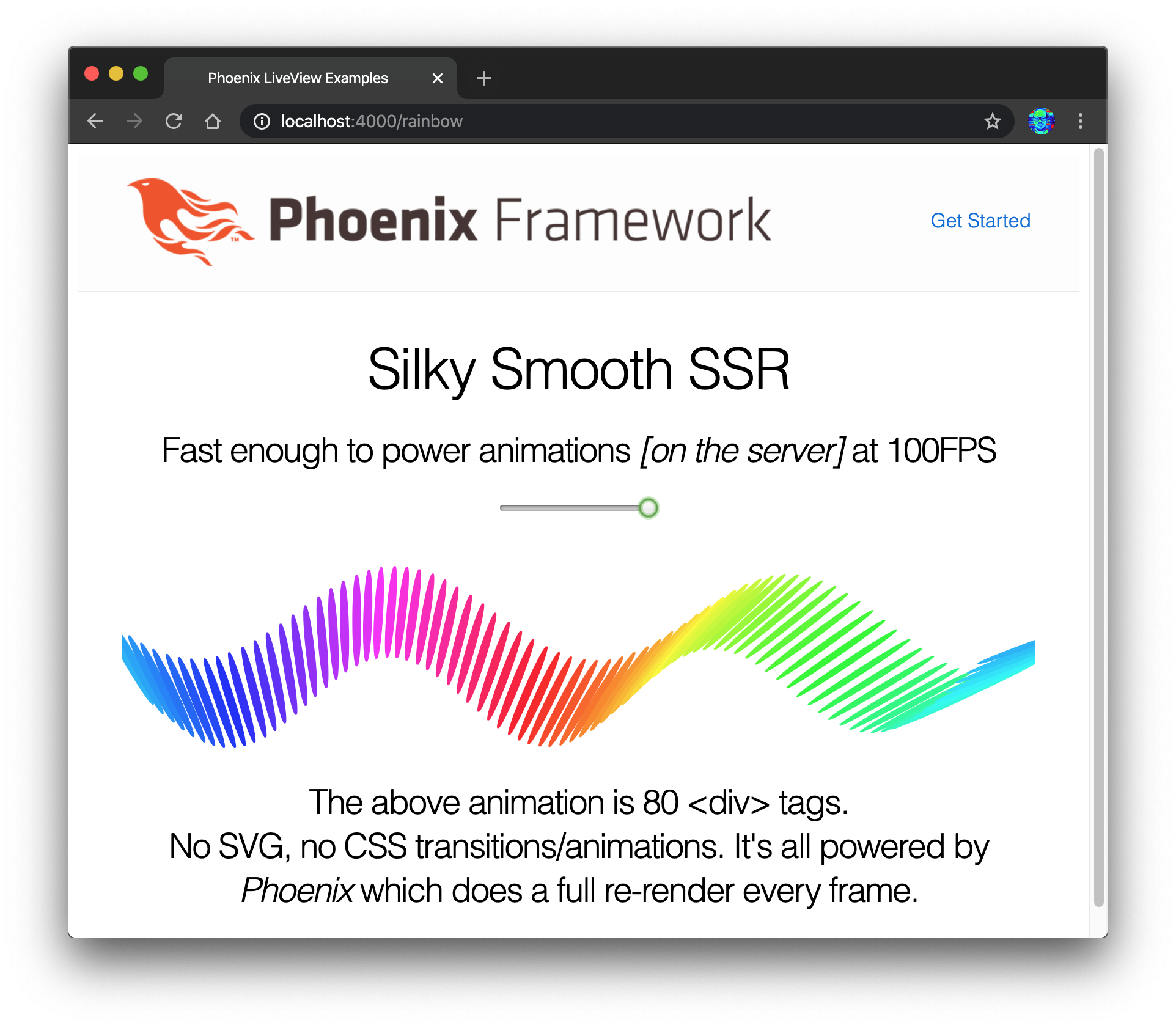 It's a great collection of examples for people who already understand LiveView. However we feel that it is not very beginner-friendly (at the time of writing). Only the default "start your Phoenix server" instructions are included, and the dependencies have diverged so the app does not compile/run for some people. We understand/love that Chris is focussed building Phoenix and LiveView so we decided to fill in the gaps and write this beginner-focussed tutorial.
If you haven't watched Chris' Keynote from ElixirConf EU 2019, we highly recommend watching it: youtu.be/8xJzHq8ru0M

Also read the original announcement for LiveView to understand the hype!
: https://dockyard.com/blog/2018/12/12/phoenix-liveview-interactive-real-time-apps-no-need-to-write-javascript
Sophie DeBenedetto's ElixirConf 2019 talk "Beyond LiveView: Building Real-Time features with Phoenix LiveView, PubSub, Presence and Channels (Hooks) is worth watching: youtu.be/AbNAuOQ8wBE

Related blog post: https://elixirschool.com/blog/live-view-live-component/
- Real-Time Form Validation with Phoenix LiveView: https://blog.appsignal.com/2021/09/28/real-time-form-validations-with-phoenix-liveview.html
- Optimizing User Experience with LiveView: https://dockyard.com/blog/2020/12/21/optimizing-user-experience-with-liveview
TDDwithLiveView: https://youtu.be/KfW3l3qJPH8