HTML contenteditable Attribute
Last Updated : 11 Jul, 2025
The HTML contenteditable attribute determines if element content is editable. It defaults to inheriting from the parent element. As a global attribute, it allows versatile content manipulation within the webpage directly.
Syntax
<element contenteditable = "true|false">
Supported Tags
It supports all HTML elements.
Attribute Value
A contenteditable attribute is mainly an instance of a Global Attribute and it can be used in any HTML element. This attribute value contain the following values:
| Attribute Value | Description |
|---|
| true or empty string | Indicates the element is editable. |
| false | Indicates the element is not editable. |
| plaintext-only | Indicates the raw text of the element is editable, while rich text features are disabled. |
HTML contenteditable Attribute Examples
Example 1: In this example we use contenteditable attribute enables editing within specified elements. Here, a paragraph is made editable, allowing direct manipulation of its text content.
html <!DOCTYPE html> <html> <head> <title>contenteditable attribute</title> </head> <body> <h2>contenteditable attribute</h2> <p contenteditable="true"> GeeksforGeeks: A computer science portal for geeks </p> </body> </html>
Output:
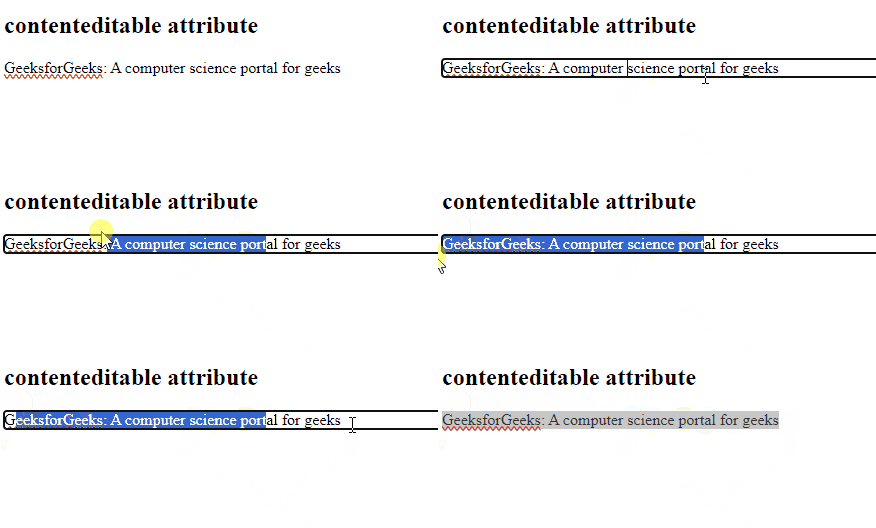 HTML contenteditable Attribute example output
Example 2: In this example we use contenteditable attribute allows direct editing of specified elements. Here, paragraphs are made editable with "true" and "plaintext-only" values, enabling text manipulation within the webpage.
HTML <!DOCTYPE html> <html> <head> <title>contenteditable attribute</title> </head> <body> <h2>contenteditable attribute</h2> <p contenteditable="true"> GeeksforGeeks </p> <p contenteditable="plaintext-only"> GeeksforGeeks </p> </body> </html>
Output:
 HTML contenteditable Attribute example output
Supported Browsers
The browser supported by contenteditable attribute are listed below:
Explore
HTML Basics
Structure & Elements
Lists
Visuals & Media
Layouts & Designs
Projects & Advanced Topics
Tutorial References
My Profile