How To Center a Div Using CSS Grid?
Last Updated : 23 Jul, 2025
To center a <div> using CSS Grid, you can use a combination of grid container properties to place the <div> at the center of its parent container. The easiest way to achieve this is by setting the parent element to use display: grid and then using properties like place-items or a combination of justify-content and align-content to center the child <div>.
Using place-items Property
The place-items property is a shorthand for setting both align-items and justify-items in one line. It can be used to center items in both directions easily.
HTML <div class="grid-container"> <div class="grid-item">Item 1</div> <div class="grid-item">Item 2</div> <div class="grid-item">Item 3</div> </div>
.grid-container { display: grid; grid-template-columns: repeat(3, 1fr); grid-template-rows: 200px; gap: 10px; place-items: center; /* Centers items horizontally and vertically */ background-color: #f0f4f8; height: 100vh; } .grid-item { background-color: #d1e8e2; padding: 20px; border-radius: 5px; font-size: 18px; } Output
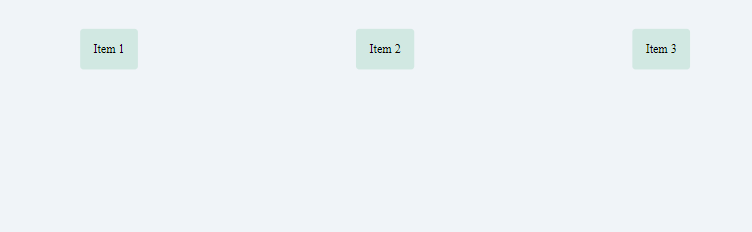 How To Center a Div Using CSS Grid
Alternative Approaches to Center a Div
Using justify-content and align-content
You can also center a <div> using a combination of justify-content and align-content set to center on the grid container.
HTML <style> .container { display: grid; /* Centers horizontally */ justify-content: center; /* Centers vertically */ align-content: center; height: 100vh; } .centered-div { background-color: #d1e8e2; padding: 20px; } </style> <div class="container"> <div class="centered-div">I am centered!</div> </div> Output
 How To Center a Div Using CSS Grid
Using Grid Lines
Another approach is to use grid lines to explicitly place the <div> in the center by setting the grid template areas and positioning the <div> accordingly.
HTML <div class="container"> <div class="left-item">Left Item</div> <div class="center-item">Center Item</div> <div class="right-item">Right Item</div> </div>
.container { display: grid; grid-template-columns: 1fr auto 1fr; height: 100vh; align-items: center; } .left-item { grid-column: 1; /* Align to the left */ justify-self: start; background-color: lightcoral; padding: 20px; border: 2px solid red; } .center-item { grid-column: 2; /* Center horizontally */ justify-self: center; background-color: lightgreen; padding: 20px; border: 2px solid green; } .right-item { grid-column: 3; /* Align to the right */ justify-self: end; background-color: lightblue; padding: 20px; border: 2px solid blue; } Output
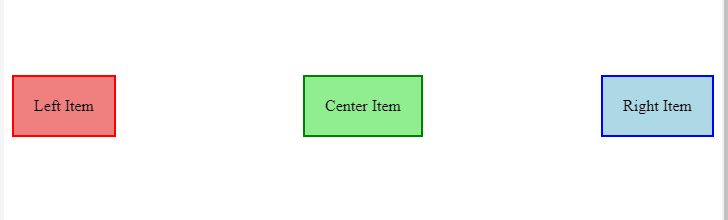 Center a Div Using CSS Grid
Which Approach Is Better in Different Cases?
- Using place-items: center: This is the simplest and most efficient way when you need to center a single item both horizontally and vertically. It's ideal for most cases.
- Using justify-content and align-content: These properties offer more flexibility if you need to align multiple items or customize alignment differently on each axis.
- Using Grid Lines: This approach gives you explicit control over grid placement, making it suitable for complex layouts where specific grid line positioning is necessary.