



From Cursor to Claude Code: Complete Guide to AI Coding Assistants – Remember when coding meant staring at a blank screen for hours, frantically googling Stack Overflow answers? Those days are officially over.
The vibe coding revolution has arrived, and I’m blown away by how AI-powered tools have transformed development in 2025.
These tools understand your intent and turn high-level ideas into working code. Think of it as having a senior developer sitting next to you 24/7, except this one never gets annoyed when you ask the same question five times.
You describe what you want in plain English, and functional code appears like magic.
What Makes a Great Vibe Coding Tool?

Before diving into the tools, let’s establish what separates the game-changers from the wannabes.
A top-tier vibe coding tool needs three things: intelligent context awareness, natural language processing that actually works, and the ability to handle multi-file projects without breaking a sweat.
The best tools understand your entire codebase, not just the file you’re currently staring at.
They anticipate what you need before you ask for it. Most importantly, they make coding feel less like wrestling with a compiler and more like having a conversation with a really smart assistant.
Full IDE Replacements: Top 10+ AI-Powered Vibe Coding Tools and IDEs You Should Try in 2025

When it comes to complete development environments, three names dominate the conversation.
These powerhouse platforms replace your entire coding setup with AI-enhanced alternatives that can handle everything from simple scripts to complex enterprise applications.
1. Cursor.ai: The Power User’s Paradise
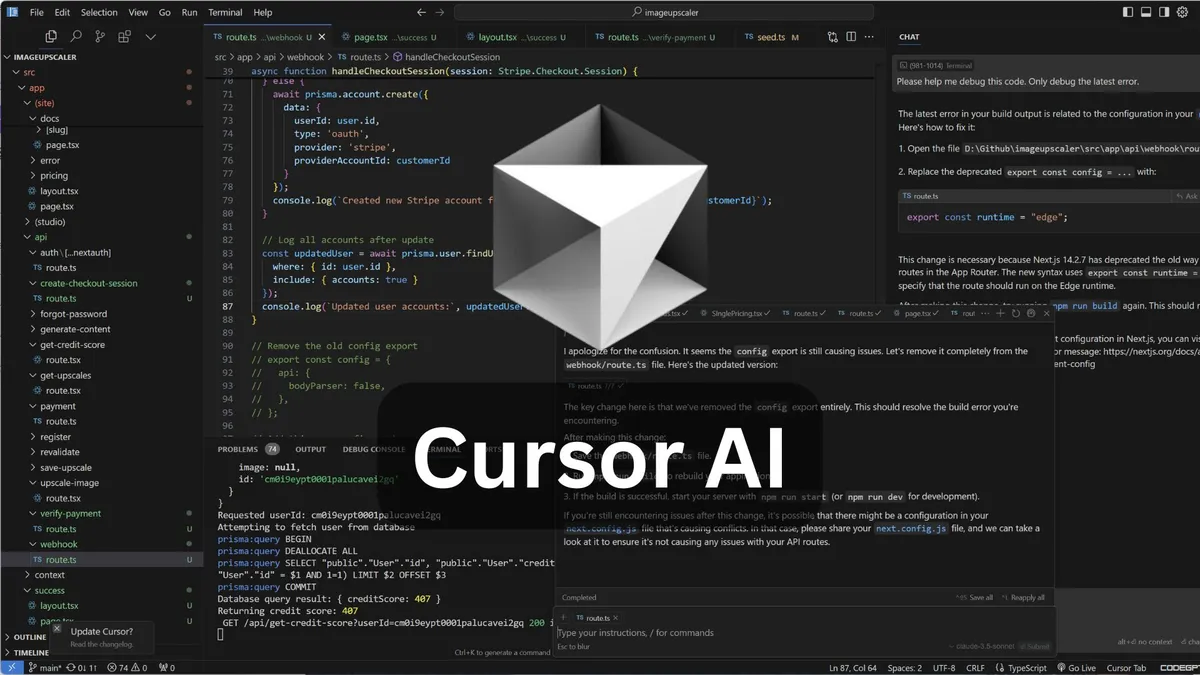
Cursor remains the go-to choice for professional developers working on complex, production-ready codebases. At $20-$40 per month, it’s not cheap, but you get what you pay for.
The Agent Mode feature can execute end-to-end tasks without constant hand-holding.
What really sets Cursor apart is its Bug Finder capability. Last week, it caught a memory leak in my Node.js app that I’d been hunting for days.
The deep codebase understanding means it actually knows your project structure, not just the file you’re currently editing.
Sure, the interface can feel cluttered (my colleague called it “feature overload”), but once you master it, you’ll wonder how you ever lived without it.
2. Windsurf: The Friendly Alternative
If Cursor is the Swiss Army knife of vibe coding, Windsurf is the sleek pocket knife that just works.
Developed by Codeium, it hits the sweet spot between functionality and simplicity at just $10-$15 per month.
The Cascade feature provides real-time codebase awareness and handles multi-file edits like a champ. I recently used it to refactor a React app with 50+ components, and it updated all the imports and dependencies automatically.
- Grok 4: Testing Grok 4 via xAI API Using Python
- OpenAI GPT-4.1: Build a Streamlit App to Test OpenAI’s GPT-4.1 Models
- Grok xAI: Testing Grok xAI API with Streamlit
- Gemini AI API: Testing Gemini AI Models with Streamlit
- Getting Started with GPT-4.5: Testing the GPT-4.5 API
- Getting Started with Anthropic Claude API: A Practical Guide
The live preview feature saved me countless browser refreshes – you see changes instantly as you code.
For super complex algorithms or backend architecture, Windsurf sometimes produces less precise code than Cursor. But for 80% of web development tasks? It’s more than enough.
3. Mistral Code: The Wild Card

Announced in June 2025, Mistral Code is the new kid on the block that’s got everyone talking. Unlike Cursor and Windsurf, which are basically VS Code on steroids, Mistral Code works across multiple IDEs. IntelliJ users, rejoice!
Details are still sparse (typical for a new release), but early reports suggest it uses Mistral’s advanced language models for seriously impressive code generation.
The IDE-agnostic approach means you don’t have to abandon your favorite development environment. Pricing hasn’t been finalized, but expect something in the $15-$20 range based on competitor analysis.
VS Code Extensions: Lightweight but Mighty
Not everyone wants to switch IDEs completely. If you’re happy with your current setup, these extensions bring vibe coding capabilities without the commitment.
They integrate seamlessly with your existing workflow while adding AI superpowers.
4. Cline: Your Collaborative AI partner
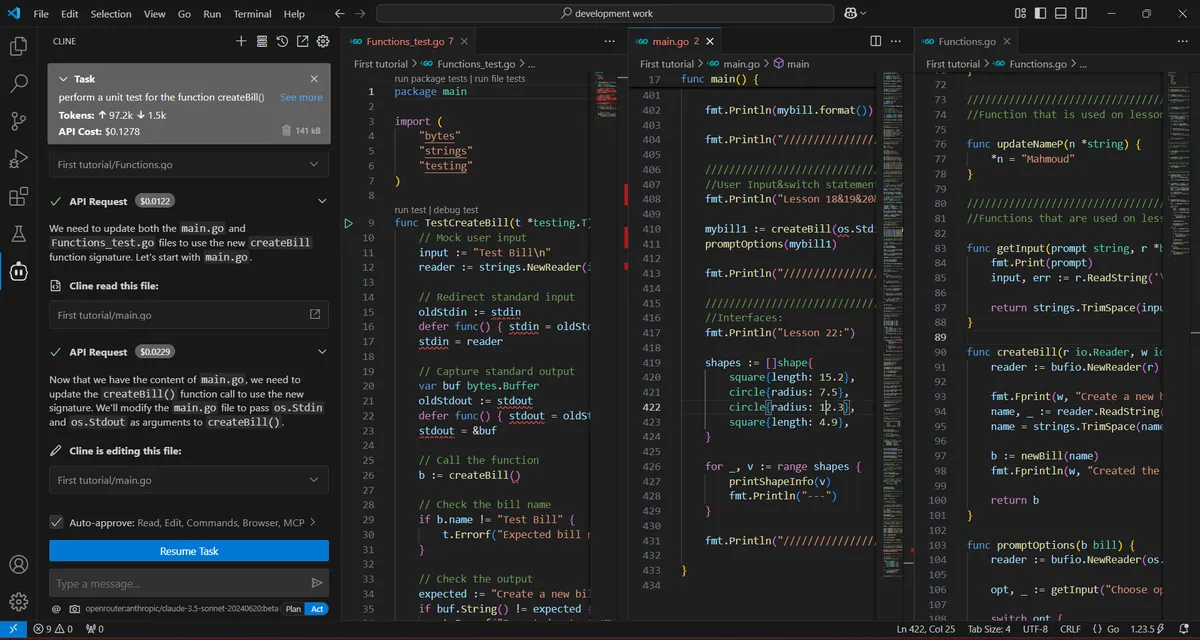
Cline deserves more attention than it gets. This MIT/Apache licensed extension breaks down complex tasks into manageable steps, implementing them one by one.
It’s particularly good at anticipating your coding needs – almost creepy how it knows what function you’re about to write.
The best part? It’s free for moderate use. You only pay for API calls when you go wild with large-scale generation. I’ve been using it on a 15,000-line codebase, and my monthly costs rarely exceed $10.
The token usage in “YOLO” mode can get expensive though – learned that the hard way when I asked it to refactor my entire backend architecture.
5. GitHub Copilot: The Reliable Workhorse

At $10 per month (or $100 annually), GitHub Copilot remains the most accessible entry point into vibe coding. The inline autocomplete suggestions are scary accurate – it often completes entire functions based on just the function name and a comment.
The Copilot Chat feature has improved dramatically in 2025. You can drag and drop files for context, ask coding questions, and even get terminal command suggestions.
It’s not as autonomous as Cursor or Windsurf, but for developers who want AI assistance without changing their workflow, it’s perfect.
No-Code Vibe Coding: Yes, It’s a Thing
Traditional developers might scoff, but these no-code vibe coding platforms are legitimately impressive for certain use cases. They prove that you don’t need a computer science degree to build functional applications.
6. Lovable: From Idea to App in Minutes

Lovable generates full-stack applications from natural language descriptions. I’m talking complete apps with authentication, database integration, and deployment – all from a few sentences. At $25 per month for 100 credits, it’s surprisingly affordable.
The Supabase integration is particularly slick. Authentication and database management just work out of the box.
You can still access and edit the generated code, which sets it apart from traditional no-code platforms.
Perfect for MVPs or when you need a quick prototype to show stakeholders.
7. Bolt.new: The Browser-Based Builder

Bolt takes a slightly different approach with in-browser development and deployment. The 1 million token bonus for new users is generous – enough to build several small apps before paying anything.
What impressed me most was the integration flexibility. Unlike Lovable, which pushes you toward certain tech stacks, Bolt plays nice with various APIs and databases.
The daily token limits can be restrictive for power users, but for building simple project management tools or basic e-commerce sites? It’s more than sufficient.
Specialized Tools for Specific Needs
Sometimes you need a tool built for a particular workflow or challenge. These specialized options fill those gaps nicely, offering focused solutions for specific development scenarios.
8. Fusion: Where Design Meets Code
Fusion’s visual editing approach is fascinating. Imagine Figma, but every design change automatically updates your codebase using proper design tokens.
The June 2025 release brought MCP server support, enabling true full-stack development with API integration.
The agentic pull request feature is a game-changer for teams. It automatically creates multi-file changes and submits PRs based on your requirements.
My designer colleague loves it because she can make UI changes without touching code directly. At an estimated $20-30 per month (pricing still being finalized), it’s reasonable for collaborative teams.
9. Trae: ByteDance Enters the Ring

Leave it to the TikTok makers to create a vibe coding tool with an incredible UI.
Trae’s web view feature allows real-time app previews directly in the editor – similar to Windsurf but somehow more polished.
The free tier is surprisingly generous, though exact limits aren’t public yet.
In the time of writing this post, there’s a promotion which you can start one month subscription for just $3, then $10 monthly, or just $7 per month when you subscribe annually.
It excels at rapid prototyping, especially for front-end heavy applications.
The main limitation? Weak context management for large projects. It understands open files well but struggles with broader codebase awareness.
10. Claude Code: For When Things Get Complex
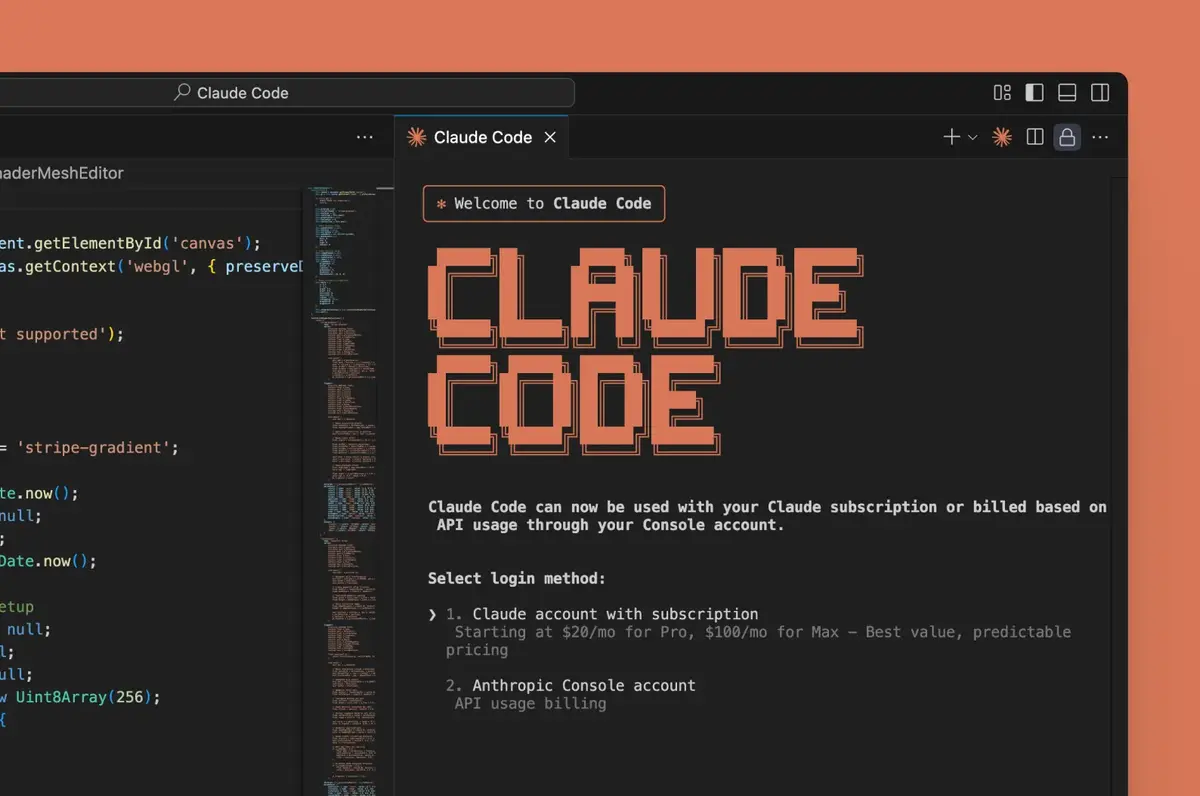
Anthropic’s Claude Code isn’t trying to replace your IDE. Instead, it’s the specialist you call when other tools throw up their hands. Need to refactor legacy code with obscure patterns?
Claude Code handles it. Complex algorithmic problems that stump other AIs? This is your tool.
The pay-per-request model means costs can spiral for heavy use. I spent $40 last month using it to modernize a 10-year-old Java monolith.
Worth every penny though – it understood patterns and dependencies that would have taken me weeks to untangle manually.
Bonus: The Newly Emerged Vibe Coding Tools
In the past few weeks only, there are two new vibe coding tools released by big companies such as AWS and Google.
11. Kiro: Amazon’s Spec-Driven Approach

Amazon has entered the vibe coding arena with Kiro, and their approach is refreshingly different from the competition.
Instead of just throwing AI at your code and hoping for the best, Kiro brings structure to the chaos with spec-driven development that feels like having a senior architect on your team.
What sets Kiro apart is its methodical approach to turning your vague ideas into concrete implementations.
You start with a prompt, but Kiro doesn’t just generate code immediately.
Instead, it creates clear requirements, system design, and discrete tasks before any coding begins.
It’s like the difference between improvising a jazz solo and conducting a symphony orchestra.
The Spec-Driven Difference
Kiro’s spec-driven development is where things get interesting. The platform transforms your initial prompt into structured requirements, validates them with robust tests, and then generates code using advanced agents.
One user reported that “in just four lines into a spec, Kiro was able to write user stories like a product manager and capture so many details that I didn’t even need to mention.”
The autopilot mode lets Kiro run large tasks autonomously without step-by-step instructions, though you maintain control over script execution and commands.
This approach particularly shines for complex features on larger codebases, where other tools might lose context or produce inconsistent results.
Agent Hooks and Automation
Kiro’s agent hooks feature automates tasks based on predefined triggers like file saves. These agents run in the background, generating documentation, unit tests, or optimizing code performance without interrupting your flow.
It’s the kind of automation that actually feels helpful rather than intrusive.
The multimodal chat capability means you can drop in UI design images or architecture whiteboard photos, and Kiro uses them to guide implementation.
VS Code users will appreciate the native support for Open VSX plugins, themes, and settings, making migration relatively painless.
Enterprise-Ready Features
Amazon’s enterprise DNA shows in Kiro’s security and privacy features. The platform includes native MCP integration for connecting to docs, databases, and APIs with enterprise-grade security.
Steering files let you configure how Kiro agents interact with each project, adding context, coding standards, and preferred workflows with simple commands.
Early user feedback has been overwhelmingly positive. One lead security engineer built “a secure file sharing application from scratch” in roughly two days, noting that Kiro incorporated “encryption and various security coding practices—no additional prompts needed.”
Another developer went “from concept to working prototype in a single weekend” thanks to the spec-driven approach.
Kiro currently offers Claude Sonnet 3.7 and Sonnet 4 models, with more options coming soon.
The platform is available for free to get started, though specific pricing for advanced features hasn’t been announced yet.
Given Amazon’s track record with AWS pricing, expect a usage-based model that scales with your needs.
12. Gemini CLI: Google’s Terminal-Native Agent

Google has taken a different approach to vibe coding with Gemini CLI, bringing AI assistance directly into the command line where many developers feel most at home.
Instead of building another IDE, Google recognized that the terminal’s efficiency and ubiquity make it the perfect place for AI integration.
What makes Gemini CLI special is its focus on being a versatile, local utility that goes beyond just coding.
You can use it for content generation, problem-solving, deep research, and task management – all from your familiar terminal environment.
The open-source nature (Apache 2.0 license) means you can inspect the code and contribute to its development, which is refreshing in a space dominated by closed-source tools.
Unmatched Free Usage Limits
Google’s pricing strategy is aggressive in the best way possible. With just a personal Google account, you get access to Gemini 2.5 Pro and its massive 1 million token context window.
The free allowance includes 60 model requests per minute and 1,000 requests per day – the industry’s largest usage allowance according to Google.
I tested this myself and rarely hit the limits during normal development work.
For comparison, many competitors charge $20-40 monthly for similar access levels.
Professional developers who need multiple simultaneous agents can upgrade to Google AI Studio or Vertex AI keys for usage-based billing.
Built-in Power Tools
Gemini CLI comes with features that feel purpose-built for real development workflows.
The Google Search grounding lets you fetch web pages and provide real-time context to the model – perfect for staying current with documentation or troubleshooting obscure errors.
The Model Context Protocol (MCP) support means you can extend capabilities through bundled extensions. I particularly like the ability to customize prompts and instructions for specific workflows.
You can even invoke Gemini CLI non-interactively within scripts, opening up automation possibilities that other tools haven’t explored.
Multimodal Capabilities That Actually Work
One standout feature is Gemini CLI’s multimodal support. You can generate new apps from PDFs or sketches, automate operational tasks like querying pull requests, or handle complex rebases.
The integration with Google’s creative tools (Imagen, Veo, Lyria) through MCP servers adds content generation capabilities that go far beyond code.
Example tasks that impressed early users include converting directory images to PNG with EXIF date renaming, organizing PDF invoices by expenditure month, and creating slide decks from git history.
These aren’t typical coding tasks, but they showcase the tool’s versatility.
Seamless VS Code Integration
Google didn’t forget about IDE users. Gemini CLI shares technology with Gemini Code Assist, providing agent mode capabilities in VS Code.
The agent builds multi-step plans, auto-recovers from failed implementation paths, and recommends solutions you might not have imagined.
What’s clever is that this agent mode is available at no additional cost for all Code Assist plans (free, Standard, and Enterprise).
The free tier has what Google claims is the highest usage limit in the market, and setup takes less than a minute.
Getting Started Is Actually Easy
Installation is straightforward: npx https://github.com/google-gemini/gemini-cli gets you running immediately. No complex setup, no subscription decisions upfront. You authenticate with your Google account and start working.
The tool excels at exploring new codebases (“Describe the main pieces of this system’s architecture”), working with existing code (“Implement a first draft for GitHub issue #123”), and automating workflows (“Make me a slide deck showing the git history from the last 7 days”).
Early feedback suggests Gemini CLI fills a unique niche between heavyweight IDEs and simple code completion tools.
The terminal-first approach appeals to developers who live in the command line, while the generous free tier removes barriers to experimentation.
Google’s betting that making AI assistance ubiquitous and accessible will win over developers who might be hesitant about monthly subscription fees.
Making the Right Choice for Your Workflow
So which tool should you pick? The answer depends on your experience level, project complexity, and budget. Here’s my honest take based on actual usage across different scenarios.
For beginners or non-technical founders: Start with Lovable or Bolt. The learning curve is minimal, and you can build functional apps immediately. Move to more advanced tools as your needs grow.
For solo developers on a budget: Windsurf offers the best bang for your buck. The intuitive interface and solid feature set handle most web development tasks beautifully.
For professional teams: Cursor remains king for production-grade applications. Yes, it’s pricier and more complex, but the precision and advanced features justify the cost.
For VS Code loyalists: Cline for open-source flexibility or GitHub Copilot for seamless integration. Both augment your existing workflow without forcing major changes.
For design-heavy teams: Fusion’s visual approach bridges the designer-developer gap better than anything else available.
The Reality Check
Let’s be honest – these tools aren’t perfect. Sometimes the AI generates code that looks right but has subtle bugs.
You still need to understand programming concepts to use them effectively. And occasionally, you’ll spend more time correcting the AI than writing code yourself.
But here’s the thing: even with these limitations, vibe coding tools have made me at least 3x more productive.
Tasks that took hours now take minutes. Boilerplate code? Gone. Repetitive refactoring? Automated. These tools handle the mundane stuff so you can focus on actual problem-solving.
What’s Next for Vibe Coding?
The space is evolving rapidly. By the time you read this, there might be new players or major updates to existing tools.
Keep an eye on platforms like X (formerly Twitter) where developers share real-world experiences.
My prediction? We’ll see more specialized tools emerging for specific frameworks and languages.
The general-purpose tools will get better at understanding context across entire organizations, not just individual projects. And pricing will probably stabilize around $15-25 per month for most professional tools.
Ready to join the vibe coding revolution? Start with a free trial of Windsurf or the generous free tier of GitHub Copilot.
Test them on real projects, not just tutorials. Give each tool at least a week before making judgments – the learning curve is real, but the payoff is worth it.
Remember, the best vibe coding tool is the one that fits your workflow and makes you more productive. Don’t get caught up in feature comparisons or peer pressure.
Try them out, trust your gut, and pick the one that makes coding fun again.