placeElement
Places content relatively to its parent container.
Placed content can be either overlaid (the default) or floating. Overlaid content is aligned with the parent container according to the given alignment, and shown over any other content added so far in the container. Floating content is placed at the top or bottom of the container, displacing other content down or up respectively. In both cases, the content position can be adjusted with dx and dy offsets without affecting the layout.
The parent can be any container such as a block, box, rect, etc. A top level place call will place content directly in the text area of the current page. This can be used for absolute positioning on the page: with a top + left alignment, the offsets dx and dy will set the position of the element's top left corner relatively to the top left corner of the text area. For absolute positioning on the full page including margins, you can use place in page.foreground or page.background.
Examples
#set page(height: 120pt) Hello, world! #rect( width: 100%, height: 2cm, place(horizon + right, square()), ) #place( top + left, dx: -5pt, square(size: 5pt, fill: red), ) 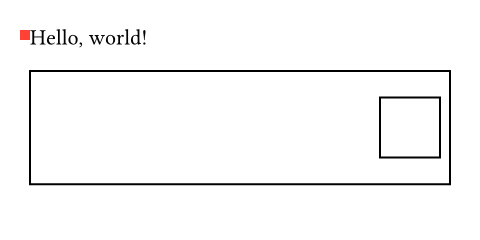
Effect on the position of other elements
Overlaid elements don't take space in the flow of content, but a place call inserts an invisible block-level element in the flow. This can affect the layout by breaking the current paragraph. To avoid this, you can wrap the place call in a box when the call is made in the middle of a paragraph. The alignment and offsets will then be relative to this zero-size box. To make sure it doesn't interfere with spacing, the box should be attached to a word using a word joiner.
For example, the following defines a function for attaching an annotation to the following word:
#let annotate(..args) = { box(place(..args)) sym.wj h(0pt, weak: true) } A placed #annotate(square(), dy: 2pt) square in my text. 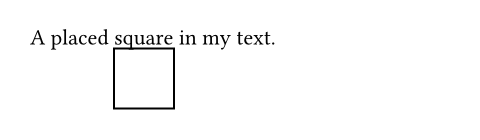
The zero-width weak spacing serves to discard spaces between the function call and the next word.
Accessibility
Assistive Technology (AT) will always read the placed element at the point where it logically appears in the document, regardless of where this function physically moved it. Put its markup where it would make the most sense in the reading order.
Parameters
alignment
Relative to which position in the parent container to place the content.
- If
floatisfalse, then this can be any alignment other thanauto. - If
floatistrue, then this must beauto,top, orbottom.
When float is false and no vertical alignment is specified, the content is placed at the current position on the vertical axis.
Default: start
scope
Relative to which containing scope something is placed.
The parent scope is primarily used with figures and, for this reason, the figure function has a mirrored scope parameter. Nonetheless, it can also be more generally useful to break out of the columns. A typical example would be to create a single-column title section in a two-column document.
Note that parent-scoped placement is currently only supported if float is true. This may change in the future.
 View example
#set page(height: 150pt, columns: 2) #place( top + center, scope: "parent", float: true, rect(width: 80%, fill: aqua), ) #lorem(25) 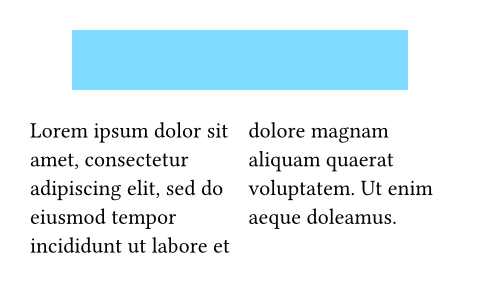
| Variant | Details |
|---|---|
"column" | Place into the current column. |
"parent" | Place relative to the parent, letting the content span over all columns. |
Default: "column"
float
Whether the placed element has floating layout.
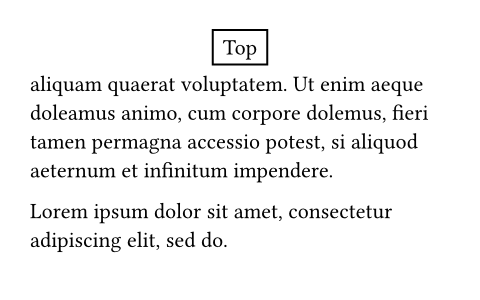
Floating elements are positioned at the top or bottom of the parent container, displacing in-flow content. They are always placed in the in-flow order relative to each other, as well as before any content following a later place.flush element.
View example
#set page(height: 150pt) #let note(where, body) = place( center + where, float: true, clearance: 6pt, rect(body), ) #lorem(10) #note(bottom)[Bottom 1] #note(bottom)[Bottom 2] #lorem(40) #note(top)[Top] #lorem(10) 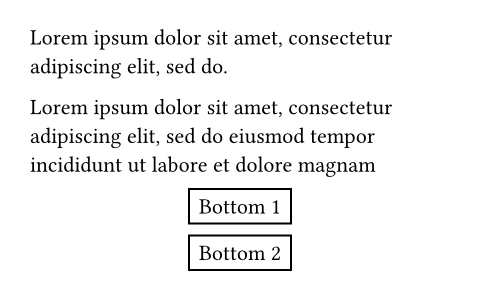
Default: false
clearance
The spacing between the placed element and other elements in a floating layout.
Has no effect if float is false.
Default: 1.5em
dx
The horizontal displacement of the placed content.
View example
#set page(height: 100pt) #for x in range(-8, 8) { place(center + horizon, dx: x * 8pt, dy: x * 4pt, text( size: calc.root(x + 10, 3) * 6pt, fill: color.mix((green, 8 - x), (blue, 8 + x)), )[T] ) } 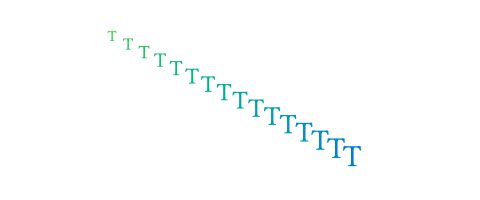
This does not affect the layout of in-flow content. In other words, the placed content is treated as if it were wrapped in a move element.
Default: 0% + 0pt
dy
The vertical displacement of the placed content.
This does not affect the layout of in-flow content. In other words, the placed content is treated as if it were wrapped in a move element.
Default: 0% + 0pt
body
The content to place.
Definitions
flushElement
Asks the layout algorithm to place pending floating elements before continuing with the content.
This is useful for preventing floating figures from spilling into the next section.
View example
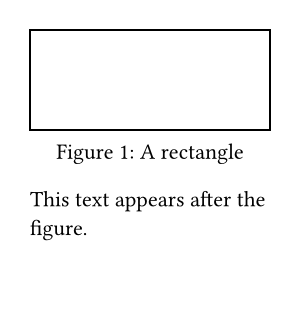
#lorem(15) #figure( rect(width: 100%, height: 50pt), placement: auto, caption: [A rectangle], ) #place.flush() This text appears after the figure.