
alignElement
Aligns content horizontally and vertically.
Example
Let's start with centering our content horizontally:
#set page(height: 120pt) #set align(center) Centered text, a sight to see \ In perfect balance, visually \ Not left nor right, it stands alone \ A work of art, a visual throne 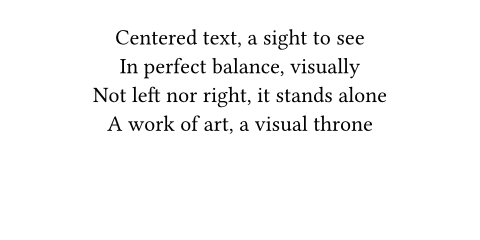
To center something vertically, use horizon alignment:
#set page(height: 120pt) #set align(horizon) Vertically centered, \ the stage had entered, \ a new paragraph. 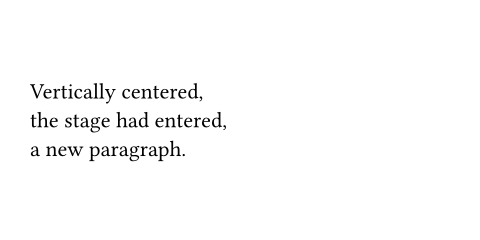
Combining alignments
You can combine two alignments with the + operator. Let's also only apply this to one piece of content by using the function form instead of a set rule:
#set page(height: 120pt) Though left in the beginning ... #align(right + bottom)[ ... they were right in the end, \ and with addition had gotten, \ the paragraph to the bottom! ] 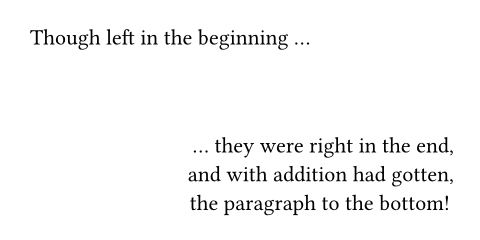
Nested alignment
You can use varying alignments for layout containers and the elements within them. This way, you can create intricate layouts:
#align(center, block[ #set align(left) Though centered together \ alone \ we \ are \ left. ]) 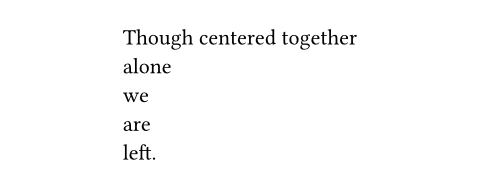
Alignment within the same line
The align function performs block-level alignment and thus always interrupts the current paragraph. To have different alignment for parts of the same line, you should use fractional spacing instead:
Start #h(1fr) End 
Parameters
alignment
The alignment along both axes.
 View example
#set page(height: 6cm) #set text(lang: "ar") مثال #align( end + horizon, rect(inset: 12pt)[ركن] ) 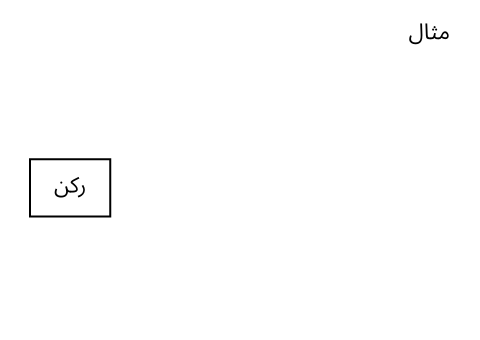
Default: start + top
body
The content to align.