




Static analysis of Python web applications based on theoretical foundations (Control flow graphs, fixed point, dataflow analysis)
- Detect command injection, SSRF, SQL injection, XSS, directory traveral etc.
- A lot of customisation possible
For a look at recent changes, please see the changelog.
Example usage and output:
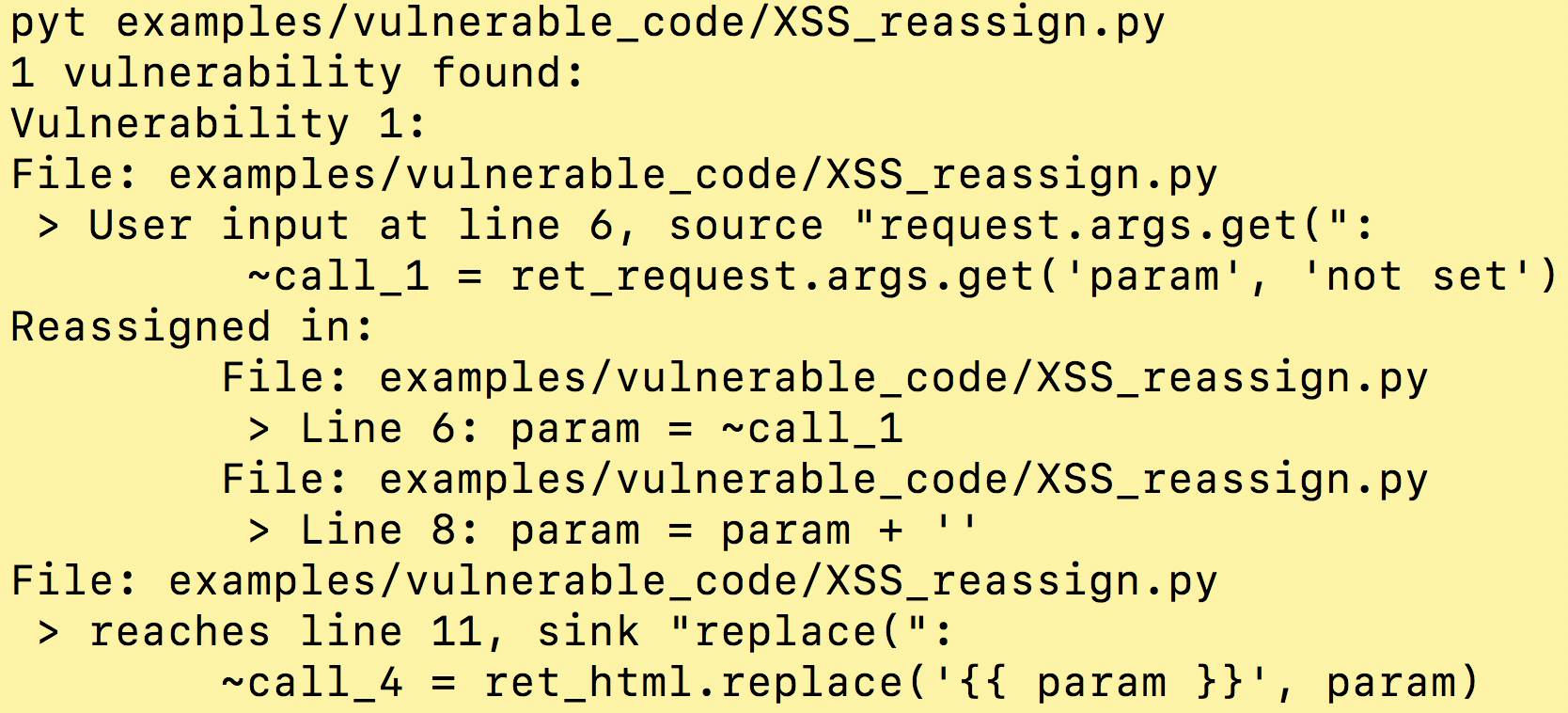
pip install python-taint ✨🍰✨PyT can also be installed from source. To do so, clone the repo, and then run:
python3 setup.py installSoon you will find a README.rst in every directory in the pyt/ folder, start here.
- Choose a web framework
The -a option determines which functions will have their arguments tainted, by default it is Flask.
- (optional) Customize source and sink information
Use the -t option to specify sources and sinks, by default this file is used.
- (optional) Customize which library functions propagate taint
For functions from builtins or libraries, e.g. url_for or os.path.join, use the -m option to specify whether or not they return tainted values given tainted inputs, by default this file is used.
usage: python -m pyt [-h] [-a ADAPTOR] [-pr PROJECT_ROOT] [-b BASELINE_JSON_FILE] [-j] [-m BLACKBOX_MAPPING_FILE] [-t TRIGGER_WORD_FILE] [-o OUTPUT_FILE] [--ignore-nosec] [-r] [-x EXCLUDED_PATHS] [-trim] [-i] targets [targets ...] required arguments: targets source file(s) or directory(s) to be tested important optional arguments: -a ADAPTOR, --adaptor ADAPTOR Choose a web framework adaptor: Flask(Default), Django, Every or Pylons -t TRIGGER_WORD_FILE, --trigger-word-file TRIGGER_WORD_FILE Input file with a list of sources and sinks -m BLACKBOX_MAPPING_FILE, --blackbox-mapping-file BLACKBOX_MAPPING_FILE Input blackbox mapping file optional arguments: -pr PROJECT_ROOT, --project-root PROJECT_ROOT Add project root, only important when the entry file is not at the root of the project -b BASELINE_JSON_FILE, --baseline BASELINE_JSON_FILE Path of a baseline report to compare against (only JSON-formatted files are accepted) -j, --json Prints JSON instead of report -o OUTPUT_FILE, --output OUTPUT_FILE Write report to filename --ignore-nosec Do not skip lines with # nosec comments -r, --recursive Find and process files in subdirectories -x EXCLUDED_PATHS, --exclude EXCLUDED_PATHS Separate files with commas print arguments: -trim, --trim-reassigned-in Trims the reassigned list to just the vulnerability chain. -i, --interactive Will ask you about each blackbox function call in vulnerability chains.
Using it like a user python3 -m pyt examples/vulnerable_code/XSS_call.py
Running the tests python3 -m tests
Running an individual test file python3 -m unittest tests.import_test
Running an individual test python3 -m unittest tests.import_test.ImportTest.test_import
Join our slack group: https://pyt-dev.slack.com/ - ask for invite: mr.thalmann@gmail.com
Create a directory to hold the virtual env and project
mkdir ~/a_folder
cd ~/a_folder
Clone the project into the directory
git clone https://github.com/python-security/pyt.git
Create the virtual environment
python3 -m venv ~/a_folder/
Check that you have the right versions
python3 --version sample output Python 3.6.0
pip --version sample output pip 9.0.1 from /Users/kevinhock/a_folder/lib/python3.6/site-packages (python 3.6)
Change to project directory
cd pyt
In the future, just type source ~/a_folder/bin/activate to start developing.