Adding a Clock to the Tab-Bar in Emacs 28
20 Jul 2022
Today I figured out how to add a tab-bar to Emacs. I didn’t like having it in the mode-line: it gets duplicated for every window and my mode-line space is precious. In contrast, the right side of the tab-bar was always blank. I’ve just been using my OS’s clock, but I started using non-native fullscreen with Emacs, so I wanted a view of the clock again.
Add this to your early-init.el or the like:
(add-to-list 'tab-bar-format 'tab-bar-format-align-right 'append) (add-to-list 'tab-bar-format 'tab-bar-format-global 'append) (setq display-time-format "%a %F %T") (setq display-time-interval 1) (display-time-mode) Adding that tab-bar-format-global to the tab-bar-format list means that whatever would to on the “global” section of the format line will now appear in the tab bar. The tab-bar-format-align-right puts the clock at the top-right hand corner, instead of right next to the tab. Here’s what it looks like:
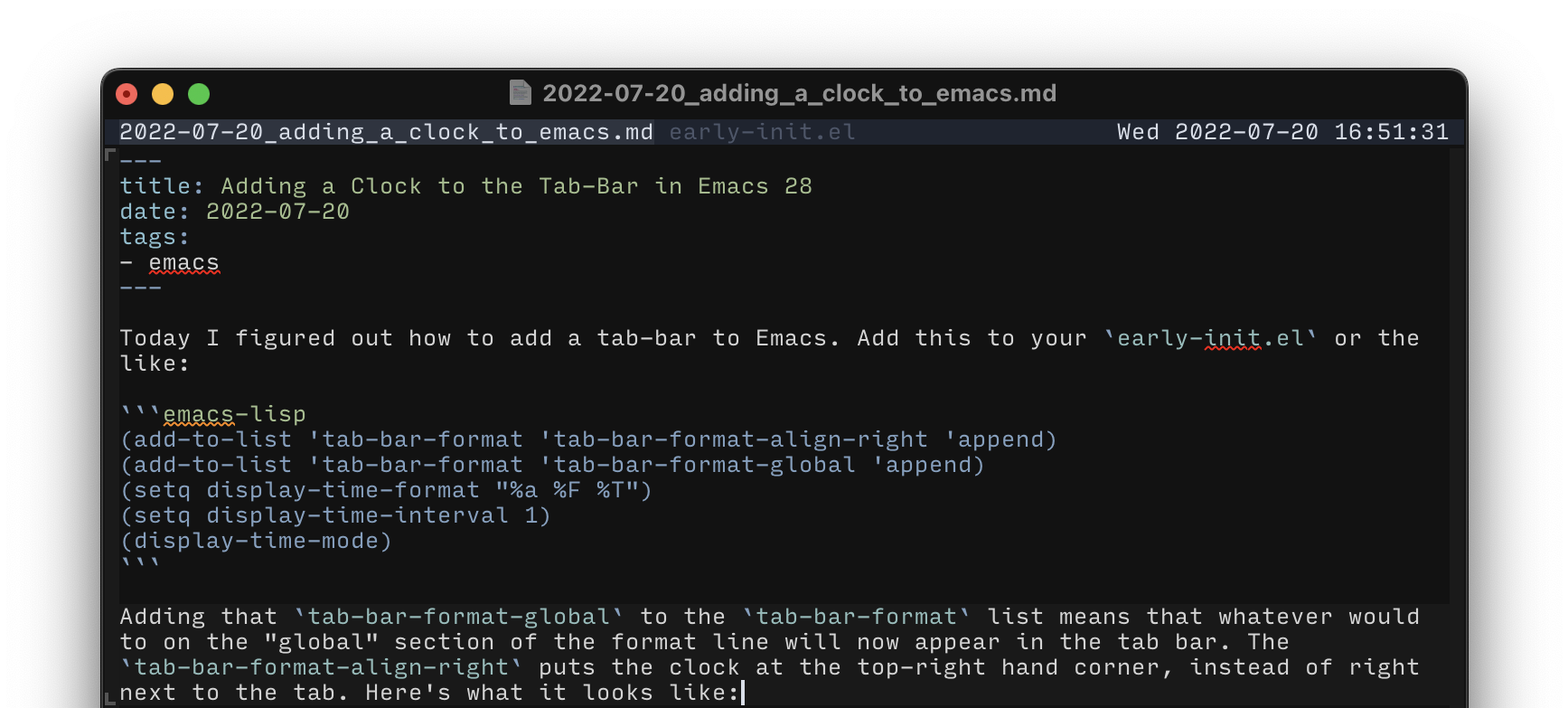
Note that this only works in Emacs 28.
I wrote an ugly hack that uses a posframe to display the time in the right place. I do not recommend this, but if you’re still on Emacs 27 or earlier for whatever reason, this might work for you:
;;; Hack to display a clock in the tab-bar (defun posframe-poshandler-real-top-right (info) (cons (- (plist-get info :parent-frame-width) (+ (plist-get info :posframe-width) (* (plist-get info :font-width) 2))) 0)) (defun update-posframe-clock () "Update the clock displayed with posframe" (let ((the-time (format-time-string "%H:%M:%S"))) (if (> (length (tab-bar-tabs)) 1) (posframe-show "*clock*" :string the-time :width 8 :poshandler 'posframe-poshandler-real-top-right :background-color (plist-get (custom-face-attributes-get 'tab-bar nil) :background)) (posframe-delete "*clock*")))) (when (display-graphic-p) (run-with-timer 1 1 #'update-posframe-clock)) Again, I recommend you find something better than the above. It will almost certainly break. Caveat emptor.