Making Quinetic Gear Work With Home Assistant

There are lots of switches that you can use with your smarthome. Some might not be compatible with the wiring in your house, while others are battery powered and need attention on the regular. [Willow Herring] came across some nice self-powered versions that were nonetheless locked to a proprietary hub. Reverse engineering ensued!

[Willow] was using a range of smart home products from Quinetic, including the aforementioned self-powered switches. However, she couldn’t stand using them with the Quinetic hub, which was required to get them functioning with the brand’s relays and in-line switch relays. It all came down to the buggy smartphone app that was supposed to lace everything together, but never worked quite right. Instead, she set about deciphering the language the switches speak so they could be paired with other smarthome systems.

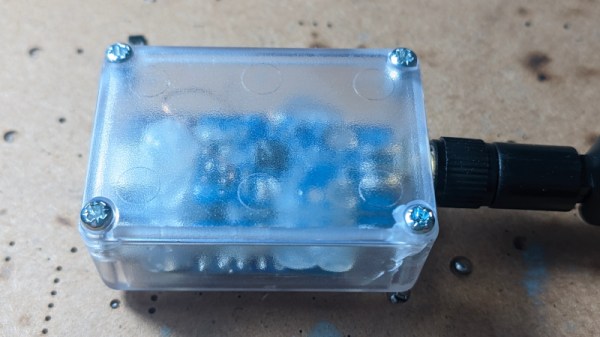
[Cameron Gray] had done some work in this area, which proved a useful starting point, though it didn’t enable the use of the switches with the various types of Quinetic relays. [Willow] decided to try and learn more about the system, starting with a CC1101 radio module hooked up to a ESP8266. Some tinkering around with expected message lengths started bearing fruit, and soon enough the format of the messages became clear.

Before long, [Willow] had figured out how to get the whole system talking to MQTT and Home Assistant, without compromising their ability to operate independently. Code is on Github for those eager to tinker further.

We’ve looked at a number of self-powered switches before, too. If you’ve found your own neat way of interfacing these devices, don’t hesitate to notify the tipsline!

[Thanks to Jess for the tip!]
Smart Bulbs Are Turning Into Motion Sensors

If you’ve got an existing smart home rig, motion sensors can be a useful addition to your setup. You can use them for all kinds of things, from turning on lights when you enter a room, to shutting off HVAC systems when an area is unoccupied. Typically, you’d add dedicated motion sensors to your smart home to achieve this. But what if your existing smart light bulbs could act as the motion sensors instead?

Continue reading “Smart Bulbs Are Turning Into Motion Sensors”

Smart Home Gets A Custom Keypad Controller

Voice assistants and smartphones are often the go-to interfaces for modern smart home systems. However, if you fancy more direct physical controls, you can go that route as well. To that end, [Salim Benbouziyane] whipped up a nifty keypad to work with his Home Assistant setup.

The build is based on an ESP32 microcontroller, which has wireless hardware onboard to communicate with the rest of [Salim’s] Home Assistant setup. Using the ESPHome firmware framework as a base, the microcontroller is connected to a four-by-three button keypad array, built using nice clicky key switches. There’s also an indicator light on top as a system status indicator. A fingerprint scanner provides an easy way for users to authenticate when disarming the alarm.

Security and speed were the push for [Salim] to whip up this system. He found it difficult to disarm his alarm in a hurry when fumbling with his phone, and the direct keypad entry method was far more desirable.

Sometimes, the easiest route to the smart home of your dreams is to just build the exact solutions you need. Video after the break.

Continue reading “Smart Home Gets A Custom Keypad Controller”

A New, Smarter Universal Remote

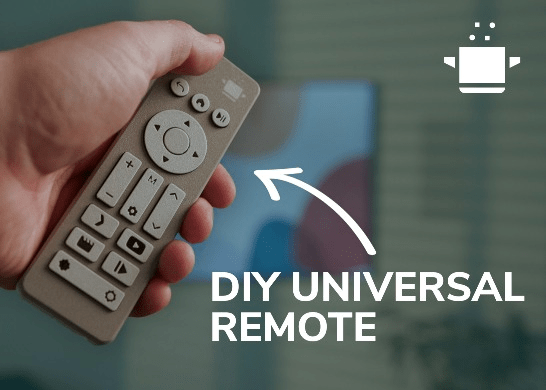
The remote for [Dillan Stock]’s TV broke, so he built a remote. Not just as a replacement but as something new. For some of us, there was a glorious time in the early 2000s when a smart remote was needed and there were options you could buy off the shelf. Just one handy button next to the screen had a macro programmed that would turn on the receiver, DVD player, and TV, and then configure it with the right inputs. However, the march of technological convenience has continued and nowadays soundbars turn on just in time and the TV auto switches the input. Many devices are (for better or worse) connected to WiFi, allowing all sorts of automation.

[Dillan] was lucky enough that his devices were connected to his home assistant setup. So this remote is an ESP32 running ESPHome. These automations could be triggered by your phone or via voice assistant. What is more interesting is watching [Dillan] go through the design process. Deciding what buttons there should be, where they should be placed, and how the case would snap together takes real effort. The design uses all through-hole components except for the ESP32 which is a module.

This isn’t the first thing [Dillan] has made with an ESP32, as he previously revamped a non-standard smart lamp with the versatile dev board. The 3d printable files for the remote are free available. Video after the break.

Continue reading “A New, Smarter Universal Remote”

Roll Your Own Automation With ESPHome

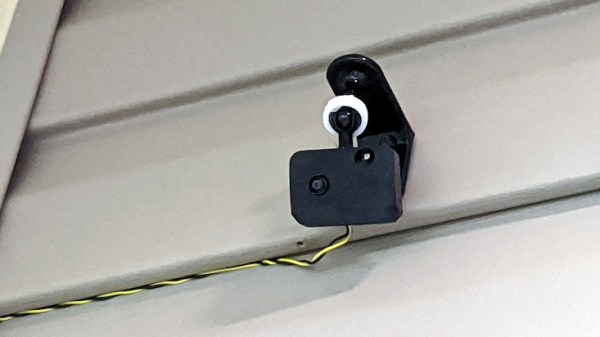
There are several different paths to a smart home, and [Marcus] eventually settled on using ESPHome and ESP8266/ESP32 based devices to create a complete DIY smart home solution which covers his garage door, sprinklers, LED strips, light bulbs, and outlets. There’s even an experimental (and very economical) ESP32-CAM based camera, shown here.

In fact, [Marcus]’s write-up could double as a sort of reference design. If you’re curious about ESPHome, be sure to read what he has to say because he explains exactly how he configured each device and any challenges he encountered in the process.

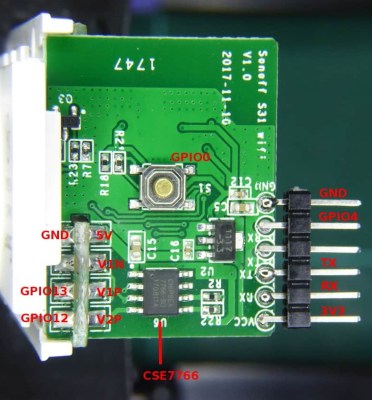
Beyond the software guidance, the post is also a great resource on how to flash a new firmware onto several different smart devices. [Marcus] provides nicely labeled images of the boards that show where you need to connect your programmer, which just might save you some trouble down the line. Though he did manage to set fire to one of the bulbs, so keep an eye out for that.

Tasmota is another open source option for controlling ESP8266-based devices, and if you’d like to explore that direction don’t forget that flashing Sonoff devices with Tasmota firmware recently got much, much easier.

Apple HomeKit Accessory Development Kit Gets More Accessible

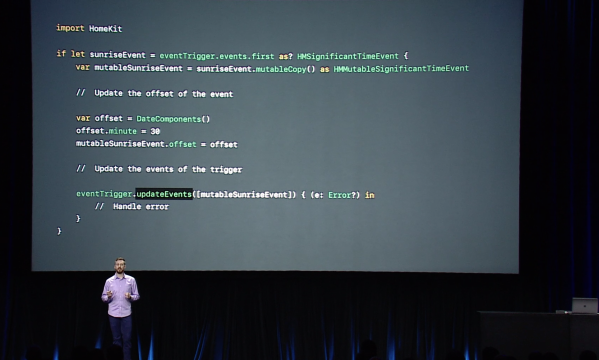
Every tech monopoly has their own proprietary smart home standard; how better to lock in your customers than to literally build a particular solution into their homes? Among the these players Apple is traditionally regarded as the most secretive, a title it has earned with decades of closed standards and proprietary solutions. This reputation is becoming progressively less deserved when it comes to HomeKit, their smart home gadget connectivity solution. In 2017 they took a big step forward and removed the need for a separate authentication chip in order to interact with HomeKit. Last week they took another and released a big chunk of their HomeKit Accessory Development Kit (ADK) as well. If you’re surprised not to have heard sooner, that might be because it was combined the the even bigger news about Apple, Amazon, the Zigbee Alliance, and more working together on more open, interoperable home IoT standards. Check back in 2030 to see how that is shaping up.

“The HomeKit ADK implements key components of the HomeKit Accessory Protocol (HAP), which embodies the core principles Apple brings to smart home technology: security, privacy, and reliability.”
– A descriptive gem from the README

Apple’s previous loosening-of-restrictions allowed people to begin building devices which could interact natively with their iOS devices without requiring a specific Apple-sold “auth chip” to authenticate them. This meant existing commercial devices could become HomeKit enabled with an OTA, and hobbyists could interact in sanctioned, non-hacky ways. Part of this was a release of the (non-commercial) HomeKit specification itself, which is available here (with Apple developer sign in, and license agreement).

Despite many breathless mentions in the press release it’s hard to tell what the ADK actually is. The README and documentation directory are devoid of answers, but spelunking through the rest of the GitHub repo gives us an idea. It consists of two primary parts, the HomeKit Accessory Protocol itself and the Platform Abstraction Layer. Together the HAP implements HomeKit itself, and the PAL is the wrapper that lets you plug it into a new system. It’s quite a meaty piece of software; the HAP’s main header is a grueling 4500 lines long, and it doesn’t take much searching to find some fear-inspiring 50 line preprocessor macros. This is a great start, but frankly we think it will take significantly more documentation to make the ADK accessible to all.

If it wasn’t obvious, most of the tools above are carefully licensed by Apple and intended for non-commercial use. While we absolutely appreciate the chance to get our hands on interfaces like this, we’re sure many will quibble over if this really counts as “open source” or not (it’s licensed as Apache 2.0). We’ll leave that for you in the comments.

Make Your Own Remote Control LED Light

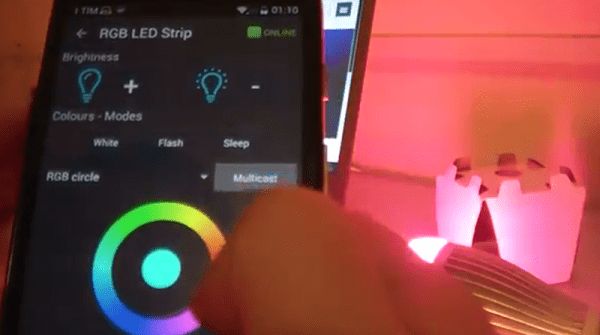
Want to control the colors in your home? Sure, you could just buy a Philips Hue bulb, but where’s the hacking fun in that? [Dario] agrees: he has written a tutorial on building an Arduino-controlled RGB light system that plugs into a standard light socket.

[Dario] is using a bulb from Automethion in Italy, an Arduino, and an ESP8266 shield that sends signals to the bulb. The Arduino and shield are running the Souliss framework that provides smart home features and runs on a number of platforms, so it is a good open platform for creating your own smart home apps, and would be easy to expand. We have also seen a few other projects that use the ESP8266 to control an RGB strip, but this is the first one that uses a bulb that plugs into a standard light socket.

At the moment, Automethion is the only company selling this light, but I hope that others will sell similar products soon.

Continue reading “Make Your Own Remote Control LED Light”