Plug Into USB, Read Hostname And IP Address

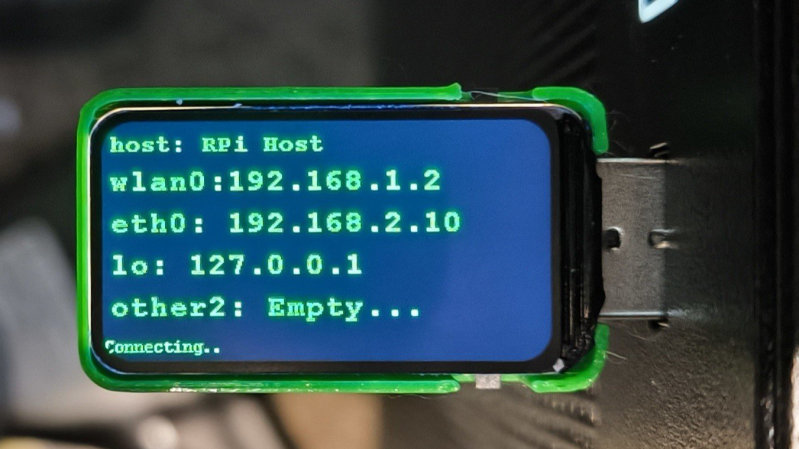
Ever wanted to just plug something in and conveniently read the hostname and IP addresses of a headless board like a Raspberry Pi? Chances are, a free USB port is more accessible than digging up a monitor and keyboard, and that’s where [C4KEW4LK]’s rpi_usb_ip_display comes in. Plug it into a free USB port, and a few moments later, read the built-in display. Handy!

The device is an RP2350 board and a 1.47″ Waveshare LCD, with a simple 3D-printed enclosure. It displays hostname, WiFi interface, Ethernet interface, and whatever others it can identify. There isn’t even a button to push; just plug it in and let it run.

Here’s how it works: once plugged in, the board identifies itself as a USB keyboard and a USB serial port. Then it launches a terminal with Ctrl-Alt-T, and from there it types and runs commands to do the following:

  1. Find the serial port that the RP2350 board just created.
  2. Get the parsed outputs of hostname, ip -o -4 addr show dev wlan0, ip -o -4 addr show dev eth0, and ip -o -4 addr show to gather up data on active interfaces.
  3. Send that information out the serial port to the RP2350 board.
  4. Display the information on the LCD.
  5. Update periodically.

The only catch is that the host system must be able to respond to launching a new terminal with Ctrl-Alt-T, which typically means the host must have someone logged in.

It’s a pretty nifty little tool, and its operation might remind you, in concept, of how BadUSB attacks happen: a piece of hardware, once plugged into a host, identifies itself to the host as something other than what it appears to be. Then it proceeds to input and execute actions. But in this case, it’s not at all malicious, just convenient and awfully cute.
Need For Speed Map IRL

When driving around in video games, whether racing games like Mario Kart or open-world games like GTA, the game often displays a mini map in the corner of the screen that shows where the vehicle is in relation to the rest of the playable area. This idea goes back well before the first in-vehicle GPS systems, and although these real-world mini maps are commonplace now, they don’t have the same feel as the mini maps from retro video games. [Garage Tinkering] set out to solve this problem, and do it on minimal hardware.

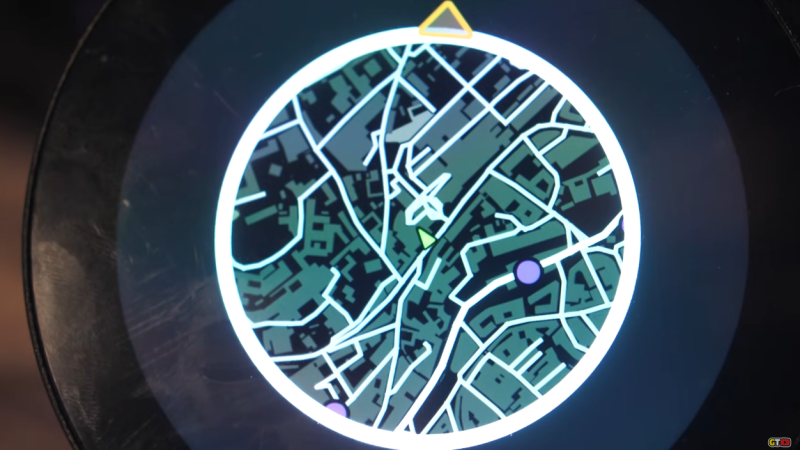
Before getting to the hardware, though, the map itself needed to be created. [Garage Tinkering] is modeling his mini map on Need For Speed: Underground 2, including layers and waypoints. Through a combination of various open information sources he was able to put together an entire map of the UK and code it for main roads, side roads, waterways, and woodlands, as well as adding in waypoints like car parks, gas/petrol stations, and train stations, and coding their colors and gradients to match that of his favorite retro racing game.

To get this huge and detailed map onto small hardware isn’t an easy task, though. He’s using an ESP32 with a built-in circular screen, which means it can’t store the whole map at once. Instead, the map is split into a grid, each associated with a latitude and longitude, and only the grids that are needed are loaded at any one time. The major concession made for the sake of the hardware was to forgo rotating the grid squares to keep the car icon pointed “up”. Rotating the grids took too much processing power and made the map updates jittery, so instead, the map stays pointed north, and the car icon rotates. This isn’t completely faithful to the game, but it looks much better on this hardware.

The last step was to actually wire it all up, get real GPS data from a receiver, and fit it into the car for real-world use. [Garage Tinkering] has a 350Z that this is going into, which is also period-correct to recreate the aesthetics of this video game. Everything works as expected and loads smoothly, which probably shouldn’t be a surprise given how much time he spent working on the programming. If you’d rather take real-world data into a video game instead of video game data into the real world, we have also seen builds that do things like take Open Street Map data into Minecraft.

Thanks to [Keith] for the tip!

Continue reading “Need For Speed Map IRL”

How To Design Custom LCDs For Your Own Projects

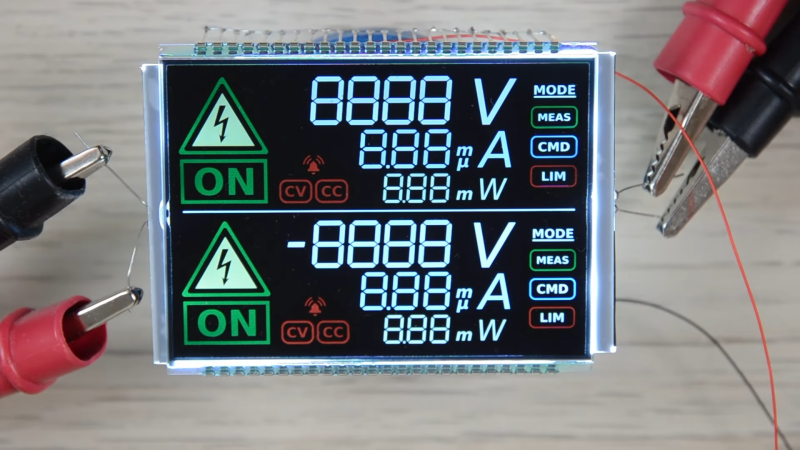
These days, you can buy full graphical LCD or OLED displays for just a few dollars. However, if you’re so inclined, you can actually get your own segmented LCDs made to suit your own projects. [Icoso Labs] explains how it’s done, with plenty of handy tips along the way.

There are three primary things you need to do to design a segmented LCD. First, you need to design it visually, laying out all the individual elements you want on the display. Then you need to determine how you want to split them up into segments. Some elements you’ll just want to be a single monolithic on-or-off shape, while other areas you might want to create things like seven-segment numerals for displaying numbers and so on. With that done, you also need to specify various engineering details—such as whether you want a transmissive, reflective, or transflective display, and thicknesses, colors, and other important things. Armed with all that, you can take your design to a manufacturer and get them to make a bunch for you. Often, there’s a moderately high tooling cost to start a run, but you can then turn out more examples of your design for just a few bucks apiece.

It’s a neat guide to designing something few of us have ever considered sourcing for ourselves. We’ve featured other insights into the world of segmented LCDs before, too. Video after the break.

Continue reading “How To Design Custom LCDs For Your Own Projects”

A New Screen Upgrade For The GBA

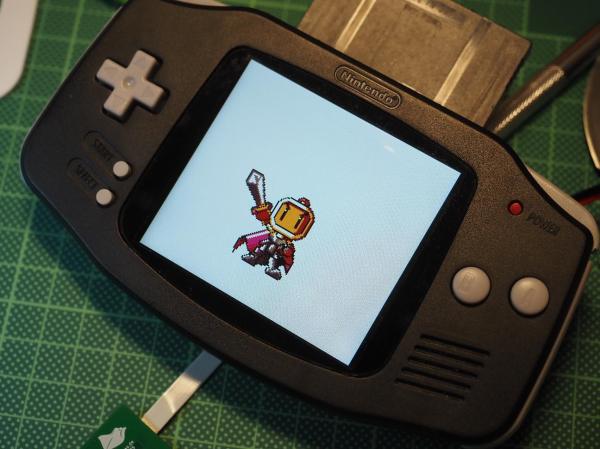
The Game Boy Advance (GBA) was released in 2001 to breathe some new life into the handheld market, and it did it with remarkable success. Unfortunately, the original models had a glaring problem: their unlit LCD screens could be very difficult to see. For that reason, console modders who work on these systems tend to improve the screen first like this project which brings a few other upgrades as well.

The fully open-source modification is called the Open AGB Display and brings an IPS display to the classic console. The new screen has 480×480 resolution which is slightly larger than the original resolution but handles upscaling with no noticeable artifacts and even supports adding some back in like scanlines and pixelation to keep the early 00s aesthetic. The build does require permanently modifying the case though, but for the original GBA we don’t see much downside. [Tobi] also goes through a ton of detail on how the mod works as well, for those who want to take a deep dive into the background theory.

There has been a lot of activity in the Game Boy Advance communities lately though as the hardware and software become more understood. If you don’t want to modify original hardware, want an upgraded experience, but still want to use the original game cartridges we might recommend something like the Game Bub instead.

The Kilopixel Display

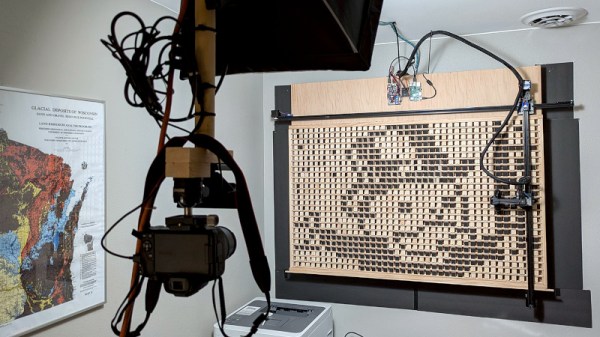
Despite the availability of ready-made displays never being better, there are still some hardy experimenters who take on the challenge of making their own. In [Ben Holmen]’s case the display he built is somewhat unusual and not the most practical, but for us a giant-sized wooden kilopixel display is exactly what the world needs.

It’s a kilopixel display because it has a resolution of 40 by 25 pixels, and it takes the form of a rack of wooden cubes, each of which can be turned by a tool on a gantry to expose either a black or a white side. It’s very slow indeed — he has an over nine hour long video of it in operation — but it is an effective device.

His write-up goes into great detail about the steps taken in its design, starting with spherical pixels rotated by a LEGO wheel and progressing to cubes poked at their corner to rotate. The pusher in this case is a hot glue stick, for the required flexibility. For practicality we’re reminded of this serial oil-and-water display.

The whole thing is online, and if you want you can submit your own images for it to draw. Whether a Wrencher in 25 pixel resolution has enough detail, we’ll leave to you.

Back To Reality With The Time Brick

There are a lot of distractions in daily life, especially with all the different forms of technology and their accompanying algorithms vying for our attention in the modern world. [mar1ash] makes the same observation about our shared experiences fighting to stay sane with all these push notifications and alerts, and wanted something a little simpler that can just tell time and perhaps a few other things. Enter the time brick.

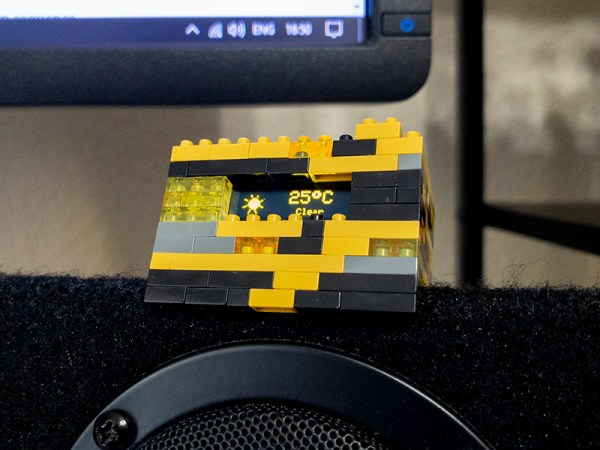
The time brick is a simple way of keeping track of the most basic of things in the real world: time and weather. The device has no buttons and only a small OLED display. Based on an ESP-01 module and housed in a LEGO-like enclosure, the USB-powered clock sits quietly by a bed or computer with no need for any user interaction at all. It gets its information over a Wi-Fi connection configured in the code running on the device, and cycles through not only time, date, and weather but also a series of pre-programmed quotes of a surreal nature, since part of [mar1ash]’s goals for this project was to do something just a little bit outside the norm.

There are a few other quirks in this tiny device as well, including animations for the weather display, a “night mode” that’s automatically activated to account for low-light conditions, and the ability to easily handle WiFi drops and other errors without crashing. All of the project’s code is also available on its GitHub page. As far as design goes, it’s an excellent demonstration that successful projects have to avoid feature creep, and that doing one thing well is often a better design philosophy than adding needless complications.

Solar-Powered E-Reader With No Buttons

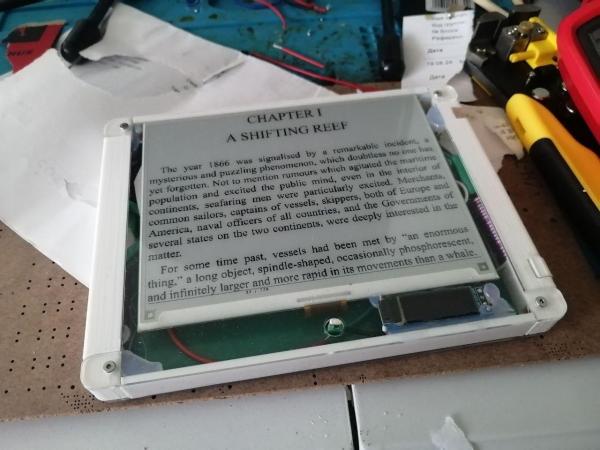
Modern e-readers such as the Amazon Kindle are incredible pieces of engineering, but that doesn’t mean there’s no room for improvement. A device custom-built to your own specifications is always going to provide a more satisfying experience than something purchased off the shelf. That’s why [fel88] put together this custom e-reader which offers a number of unique features, such as a solar panel on the back and button-free operation.

One issue with modern e-readers, at least as [fel88] sees it, is that they have a lot of unnecessary features. This project removes most of them, stripping down the device to its core functionality: a straightforward menu for selecting books and gesture-sensing for navigating the menu as well as changing the pages. The only physical input on the device is a small reed switch to turn the device on. A 3D printed case holds the e-ink display and encloses the inner workings, driven by an Arduino Mega 2560 and powered by three lithium-ion capacitors (LICs) and a small solar panel.

By dropping all of the unnecessary features, the device doesn’t need to waste energy with things like WiFi or Bluetooth and can get around 880 pages on a single charge, not counting any extra energy coming in through the solar panel while it’s operating. The LICs will also theoretically improve its life cycle as well. If you’re still stuck with a paperweight when you formerly had a working e-reader, though, there are plenty of ways to bring old devices back to life as well.