Checks if the vendor/ directory is consistent with project's composer.lock (direct API, no CLI).
composer.json <== (synchronized) ==> /vendor

For small teams can be difficult to cooperate and keep /vendor directory synchronized with requirements in composer.json. Your colleagues can be a junior or can be not accustomed to right use the Composer and often forgot to call composer install before running the App.
You can force refresh Composer via git-hooks, but it requires careful preparation on each developer station.
In other way you can push all /vendor into your repo, but it's very very dirty way. Don't do it!
Or… just add this package to you project. It checks if you /vendor is consistent with project and can notify you and your colleagues to forgotten refresh it.
Add this package to project as dev-dependency:
composer require --dev jakubboucek/composer-consistencyIn your app just call validate() method:
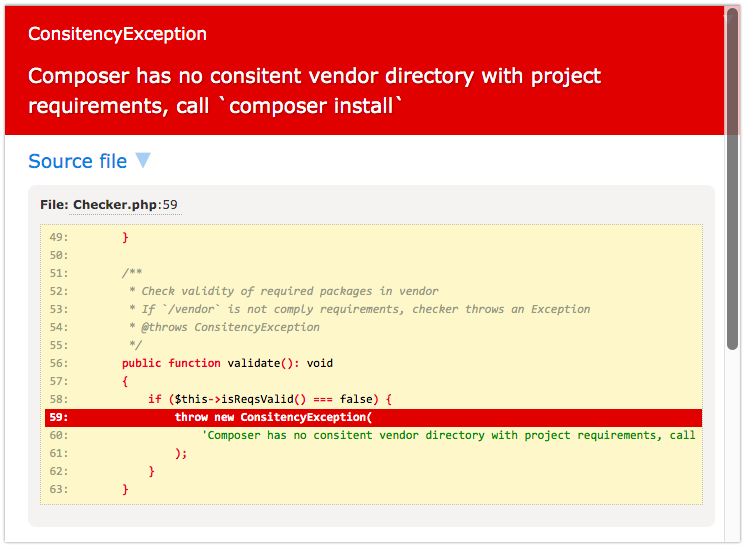
ComposerConsistency::rootDir(__DIR__)->validate();When /vendor is not consistent with composer.json, checker throws an Exception.
use JakubBoucek\ComposerConsistency\ComposerConsistency; ComposerConsistency::rootDir(__DIR__) ->validate();- Root dir - directory which contains
composer.json, rspt.composer.lockfile, usually root directory od project. - Vendor dir - directory which contains Composer's
autoload.phpfile.
By default checker is assumes Verdor dir at vendor/ from root dir, you can change by method vendorDir().
ComposerConsistency::rootDir(__DIR__) ->vendorDir(__DIR__ . '/../vendor') ->validate();When checker detects incosistence, it throws ComposerInconsitencyException.
You can change exception throwing to emit user error by method errorMode($severity) where $severity is Severity of emitted error, default is E_USER_ERROR, you can change it to any of E_USER family severity (read more).
ComposerConsistency::rootDir(__DIR__) ->errorMode(E_USER_WARNING) ->validate();Also you can disable checking by errorMode(false) – that's cause to completelly disable checking.
ComposerConsistency::rootDir(__DIR__) ->errorMode(false) ->validate();In strict mode Checker throws Exception when is unable to read Composer's files used to compute vendor consistency. Default value: off.
Turn on Strict mode:
ComposerConsistency::rootDir(__DIR__) ->strict() ->validate();Scrict mode is by default disabled, because:
- it can break production if you ignore some files (like
composer.lock) during deploy - that's false positive, - is not important to guard these files, for example when is missing whole
vendor/directory, is unable to load this package too, - main purpose of package is watching to subtle nuances in packages consistency, not fatals in Composer's file system.
Checking vendor consistency on every request consume unnecessarily huge CPU power. Ceche is store last success check only check is composer files stay without change. It does not check consincy of packages until these files keep same content. Default value: off.
ComposerConsistency::rootDir(__DIR__) ->cache(__DIR__ . '/temp') ->validate();Checking vendor consistency on every request consume unnecessarily huge CPU power. Froze mode is usable when you guarantee the deploy process to production is always purge the temp directory. It requires a path to temporary directory for saving necessary files. Default value: off.
ComposerConsistency::rootDir(__DIR__) ->froze(__DIR__ . '/temp') ->validate();In Froze mode is vendor consistenty checked only once, then is state saved to temp directory and no more checks are performed until is temp directory purged. It requires a path to temporary directory for saving necessary files. Default value: off.