HASH is a framework for creating and launching low interactive honeypots.
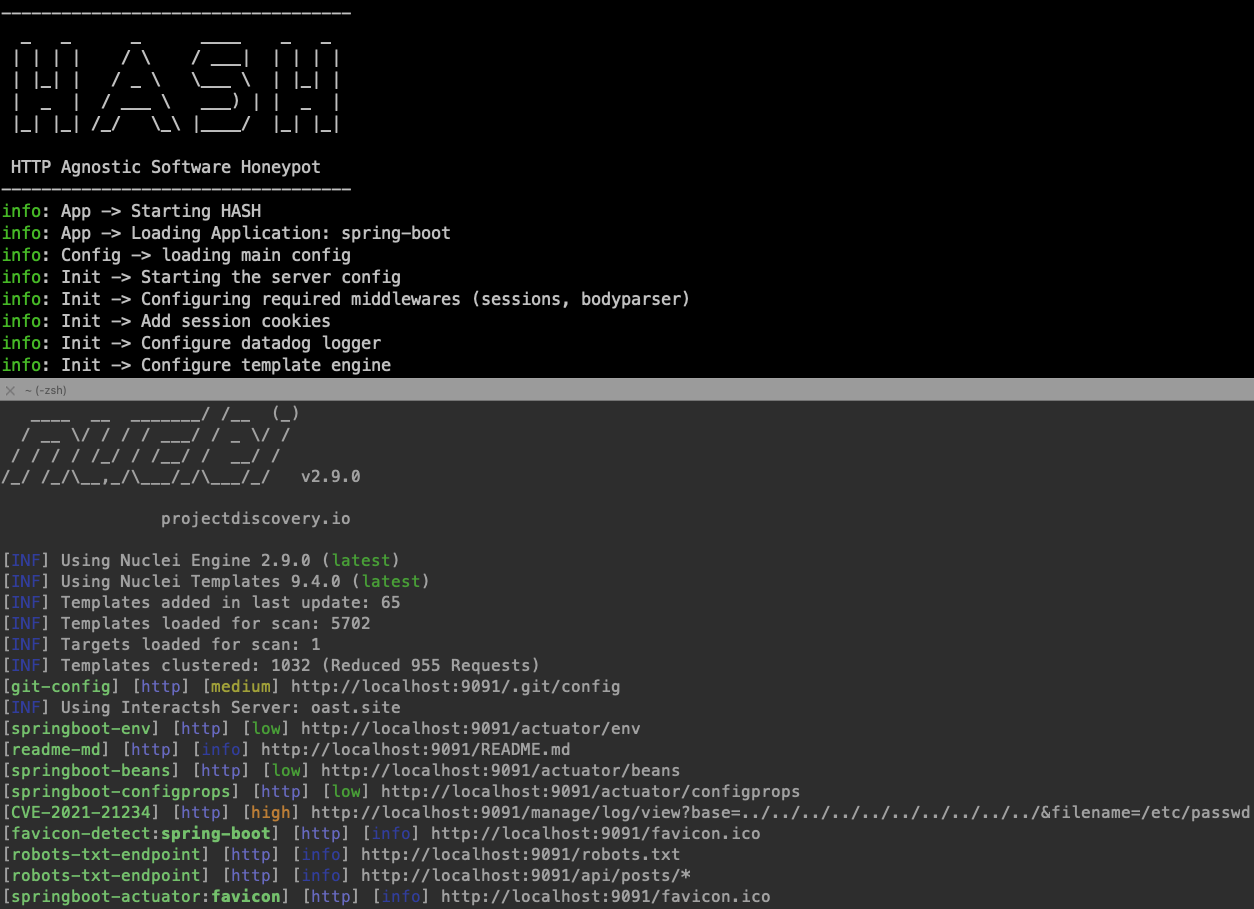
The main philosophy of HASH is to be easy to configure and flexible to mimic any software running on HTTP/HTTPs. With the minimum footprint possible to avoid being detected as honeypot.
- Single framework to deploy HTTP/HTTPs based honeypots
- Easily configurable via YAML files
- Built-in honeytraps
- Powerful randomization based on
fakerjsto avoid honeypot detection - Optionally, integration with Datadog to ingest and analyze honeypots logs and HTTP requests through APM
HASH is built using Node.js but it can mimic any web-based language / server based on the configuration. Read the full docs below.
npm install -g hash-honeypot docker run --rm ghcr.io/datadog/hash help HASH uses YAML files to configure how it simulate the desired software, The typical structure for the profile folder is the following
|____templates | |____resources | | |____index.html | | |____style.css | | |____favicon.ico | |____404.yaml | |____default.yaml |____init.yaml You can build it yourself or you can generate it using generate command
Usage: HASH generate [options] <folder> Generate honeypot profile Arguments: folder path/to the app Options: -t --template <template_name> base template (default: "default") -n --name <honeypot_name> Honeypot name -s --swagger <swagger_file> Path to swagger file to convert -h, --help display help for command Example
hash-honeypot generate myhoneypot --name my-honey-pot --template default You can also convert swagger files to honeypot directly from the generate command
Example converting swagger file(s) to honeypot
hash-honeypot generate sample-swagger2 -n sample -s ./test-swagger/test-swagger.yaml Usage: HASH run [options] <folder> Run HASH Arguments: folder path/to the template folder Options: -l, --log <transport> logging transport (default: "console,file,datadog") -f, --log_file <filename> logging filename (default: "hash.log") -h, --help display help for command example
hash-honeypot my-honeypot-profile -l file -f ./logs/hash.log If you are using Datadog for logs make sure you export the datadog api key
export DD_API_KEY=<your-api-key>
You can customize the your honeypot profile as you want
Example request template:
id: sqli-error info: title: 'SQL error honeytrap' requests: - isTrap: false expect: method: GET path: '/author/:Id([0-9]+)' reply: status: 200 headers: content-type: 'text/html' body: view: 'author.html' - isTrap: true expect: method: GET path: '/author/:Id' reply: status: 500 headers: content-type: 'text/html' body: contents: "You have an error in your SQL syntax; check the manual that corresponds to your MySQL server version for the right syntax to use near '' at line 2"Read the configuration reference here or see the examples here.
- Create examples folder to show HASH features
- Ability to import API documentation formats (swagger ..etc)
- Package hash as module for easier distribution
- Add capabilities for medium interactions
- Add popular honeytraps
- Add unit & integration tests
Released under the Apache-2.0 license, contributions are welcome!
Feel free to open an issue, or reach out at securitylabs@datadoghq.com.