
 React
React iOS
iOS Android
 Flutter
 Angular
 JavaScript
 Unity
Unity Unreal
 Node
Node Python
 Ruby
Ruby PHP
PHP Java
Java .NET
.NET Go
Go REST
REST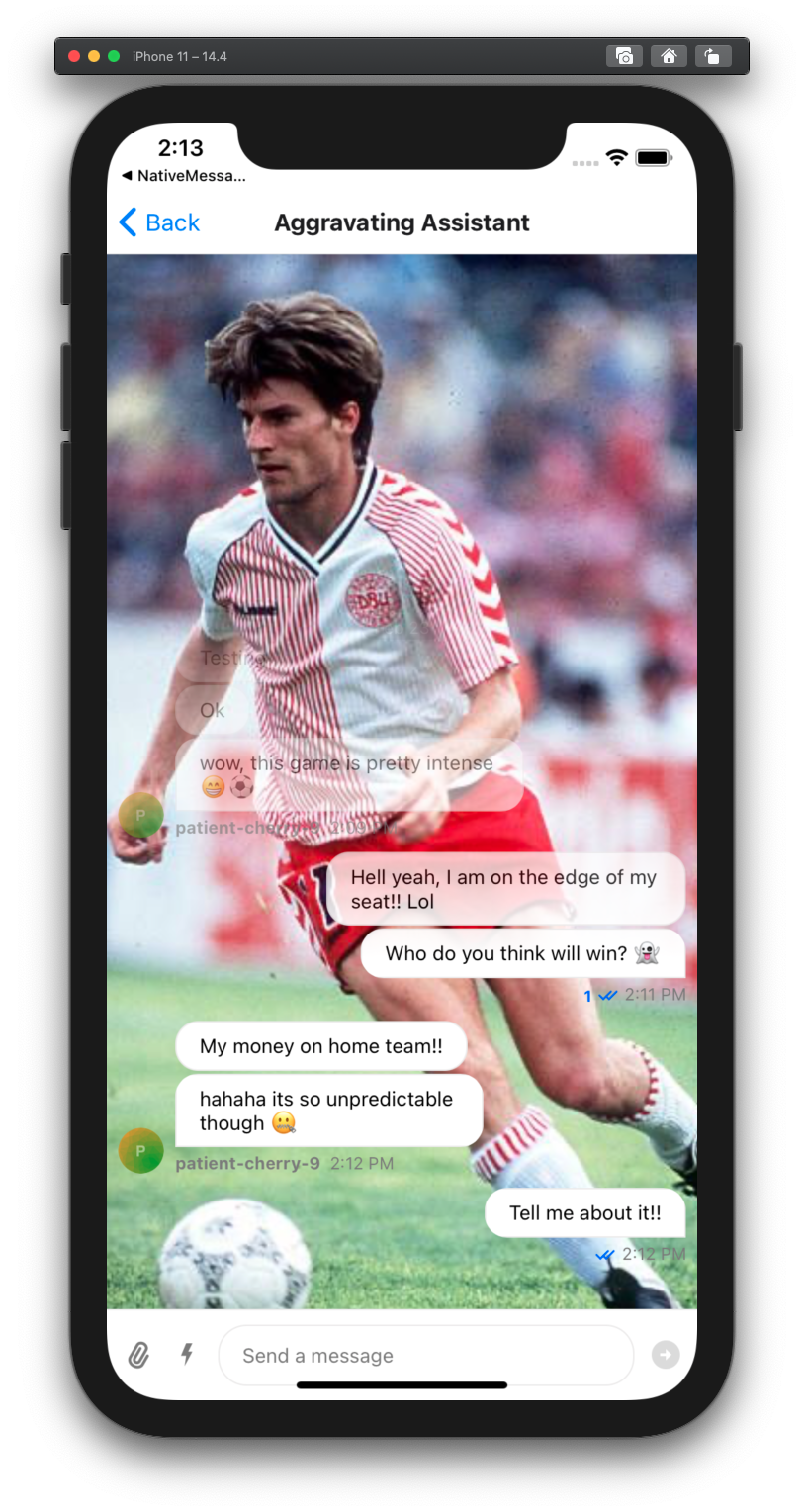
import React from "react"; import { SafeAreaView, StyleSheet, View } from "react-native"; // Make sure you have installed following two dependencies import MaskedView from "@react-native-community/masked-view"; import LinearGradient from "react-native-linear-gradient"; import { Chat, Channel, MessageList } from "stream-chat-react-native"; const theme = { messageList: { container: { backgroundColor: "transparent", }, }, messageSimple: { content: { textContainer: { backgroundColor: "white", }, }, }, }; // When you render your chat screen <SafeAreaView style={{ flex: 1 }}> {/* For the sake of example, we are using image as background, you can replace it with your Video component. */} <Image source={{ uri: "https://i.pinimg.com/474x/59/a2/aa/59a2aae82b34bace9dc4d4df90457a3b.jpg", }} style={{ height: "100%", width: "100%" }} /> <View style={[{ position: "absolute" }, StyleSheet.absoluteFillObject]}> <Chat client={chatClient} style={theme}> <Channel channel={channel} keyboardVerticalOffset={headerHeight} thread={thread} > <View style={{ flex: 1 }} /> <View style={{ flex: 2 }}> <MaskedView style={{ flex: 1 }} maskElement={ <LinearGradient colors={["rgba(0,0,0,0)", "rgba(0,0,0,1)"]} style={{ flex: 1, }} start={{ x: 0, y: 0 }} end={{ x: 0, y: 1 }} locations={[0, 0.5]} /> } > <MessageList /> </MaskedView> </View> <MessageInput /> </Channel> </Chat> </View> </SafeAreaView>;Custom MessageList
This UI Cookbook shows how to achieve custom UI using MessageList.
Live-stream implementation using MessageList
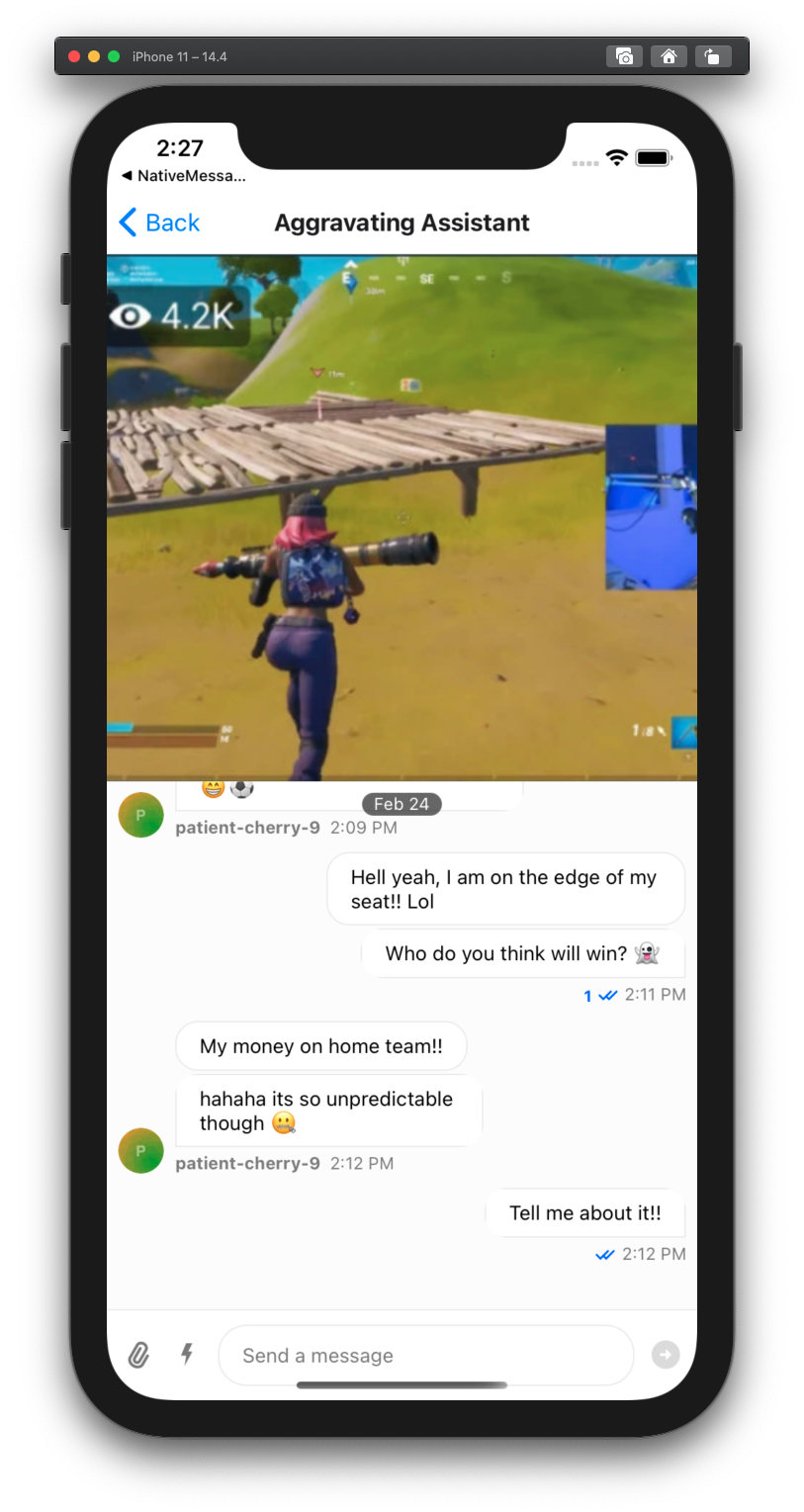
There are two common scenarios in live-stream applications.
|
|
| Faded chat with video as background | Split screen between video and chat |
Here is how you can implement these two use cases:
Faded chat with video as background
Split screen between video and chat
import React from "react"; import { SafeAreaView, StyleSheet, View } from "react-native"; import { Chat, Channel, MessageList } from "stream-chat-react-native"; // When you render your chat screen <SafeAreaView style={{ flex: 1 }}> <View style={[{ position: "absolute" }, StyleSheet.absoluteFillObject]}> <Chat client={chatClient} i18nInstance={streami18n}> <Channel channel={channel} keyboardVerticalOffset={headerHeight} thread={thread} > <View style={{ flex: 1 }}> <Image source={{ uri: "https://i.ibb.co/rfx5PCr/Screenshot-2021-02-24-at-14-20-57.png", }} style={{ height: "100%", width: "100%" }} resizeMode={"cover"} /> </View> <MessageList onThreadSelect={(thread) => { setThread(thread); navigation.navigate("Thread"); }} /> <MessageInput /> </Channel> </Chat> </View> </SafeAreaView>;